

Which companies are watched
Ascern watches a company on its own when it has a Tier 1 or Tier 2 target that is still being pursued, or an open job. You can watch any other company yourself.- Open the company.
- On Overview, find Open roles and turn on Watch hiring.
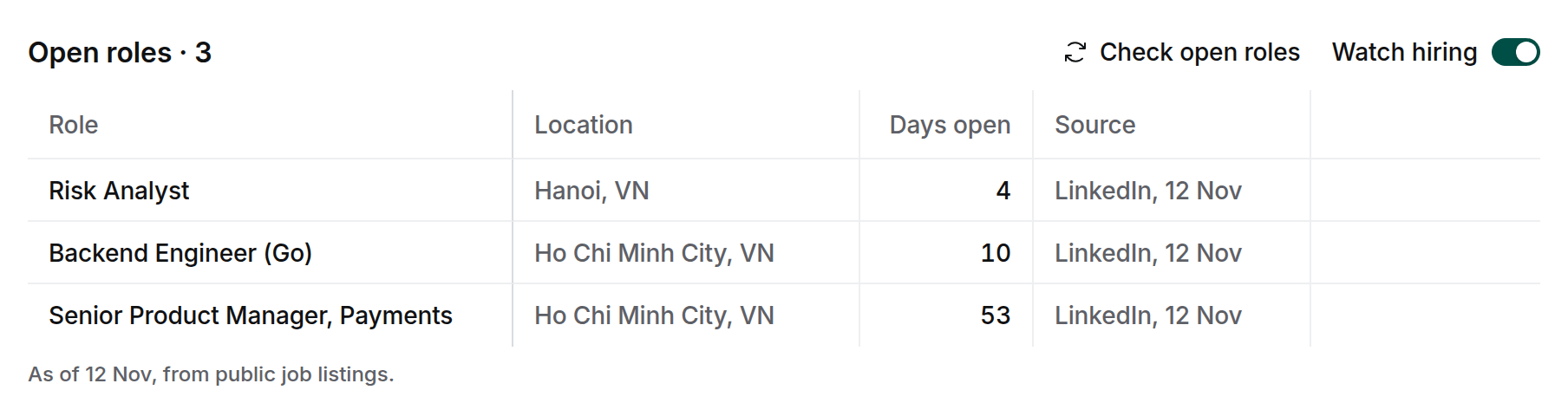
Read the list
- Days open counts from the date the role was posted.
- Source names where the listing came from and when Ascern last saw it. Select it to open the listing.
- The list is as of its last read, which the line under it gives, for example “As of 11 Nov”. When you select Check open roles, a role not seen for 14 days, or posted more than 60 days ago, drops off the list. Until then it stays, with the day it was last seen under Source.
- Listings come from LinkedIn. For a company that posts only on its own careers site or job boards, they come from there.
- Listings from recruitment agencies are left out, so the list shows the company’s own roles.