
Steps
- Open Companies › Targets and select Add to target list, or open a company, open ⋯ and select Add to target list.
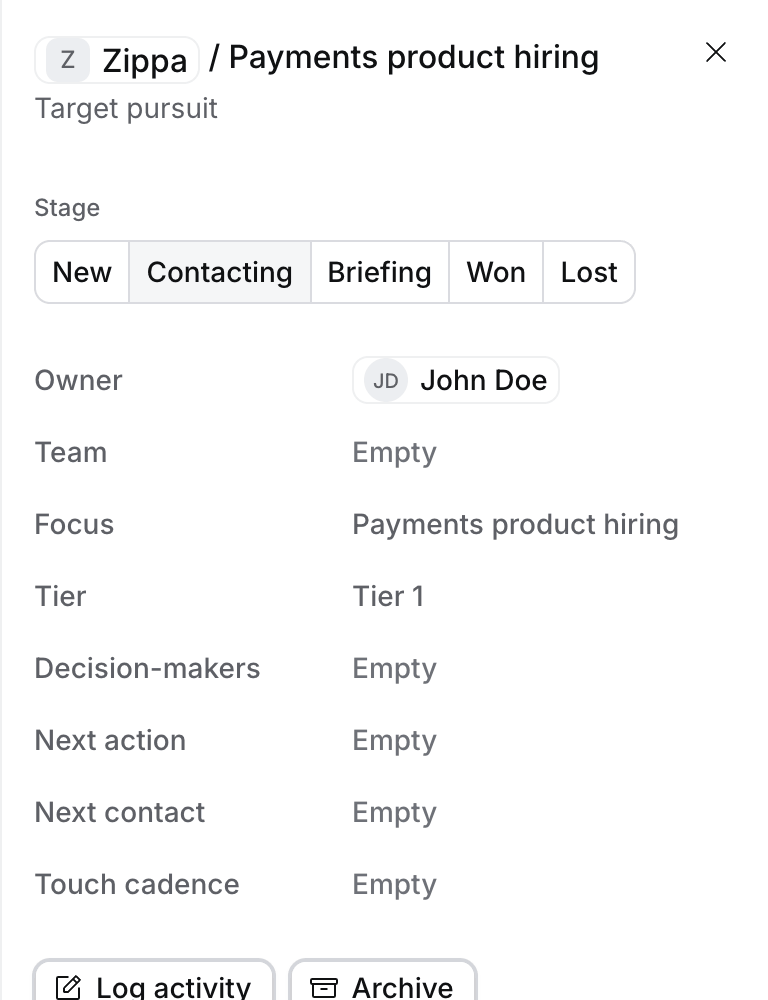
- Fill in the Focus, the Tier and the Next action. You’re the owner unless you pick someone else. Tier 1 is the 3 to 6 companies you work hardest, Tier 2 the next 6 to 15, and Tier 3 the rest.
- As you work it, change its Stage: New, Contacting, Briefing, Won or Lost.
What happens next
- Won makes the company a client. Hire says so and changes its Relationship to Client.
- While a target is New, Contacting or Briefing, Flo’s searches for candidates leave out people who work at that company, as they do for clients: you place into it, so you don’t headhunt from it. To headhunt there anyway, set the company’s Headhunting to Headhunt from. The target then shows Headhunting from this company. Place into keeps a company’s people out with no target. When Flo changes Headhunting, or makes a company a client or not, you approve it on a card first.
- Log touch counts each contact against Touches planned. Log activity and Schedule meeting on the target file a call or book a meeting on it.
- All targets groups the list by Tier, Tier 1 first, and each tier by Next touch, so the company to call next is on top. Each group header counts its targets.
- Mine shows your targets. Needs owner lists targets nobody owns, for Owners, Admins and Managers.
Troubleshooting
- “Only New and Lost are allowed”. The company is marked Do not contact. Clear it on the company, under ⋯, if that has changed.
- You can’t change the stage. Only the target’s owner and the people who manage them can.