
Three kinds of action
A receipt lists each field Flo changed, with the value before and after, the way the table shows it. Activity on the record names Flo and you.
Changes to approve
A change that needs approval shows as a row: what changes, on which record, and old → new for a field, with amounts in short form (67M → 70M VND). Nothing changes until you approve it. Deny decides in one click. An approved change with a plain inverse offers Undo. A change from your chat with Flo waits an hour. Changes from Rules, Log activity and a finished call wait up to seven days. A change says when it expires only in its last two days. A change that can’t be undone, such as a merge, is never ticked and never approved by a key. Approve it on its own.Tasks › To review
Tasks › To review is where you decide every change that waits for you. It’s a table like the others in Hire, grouped by where each change came from (a Rule, a log, a call or a Flo chat), with Filter, search, Display and your own Views.- Tick rows, then select Approve N or Deny in the bar above the table.
- Each decided row stays in the table, with its outcome, until you leave the page: Approved and what it did, with Undo where it has one, or Didn’t work and why, in red, with the fix where there is one, such as Pick company.
- Select a row to open it beside the table. It shows the whole change and Why Flo proposed it: the words Flo read, quoted from the call with the time they were said, from your log, or from your message. Flo’s quote shows only when those exact words are in the source. Older changes say No quote saved and link to where they came from.
- In the open change, select Approve, Edit to change a value first, or Deny… to say why. Flo reads the reason.
- Press J and K to move through the rows, Y to approve and N to deny.
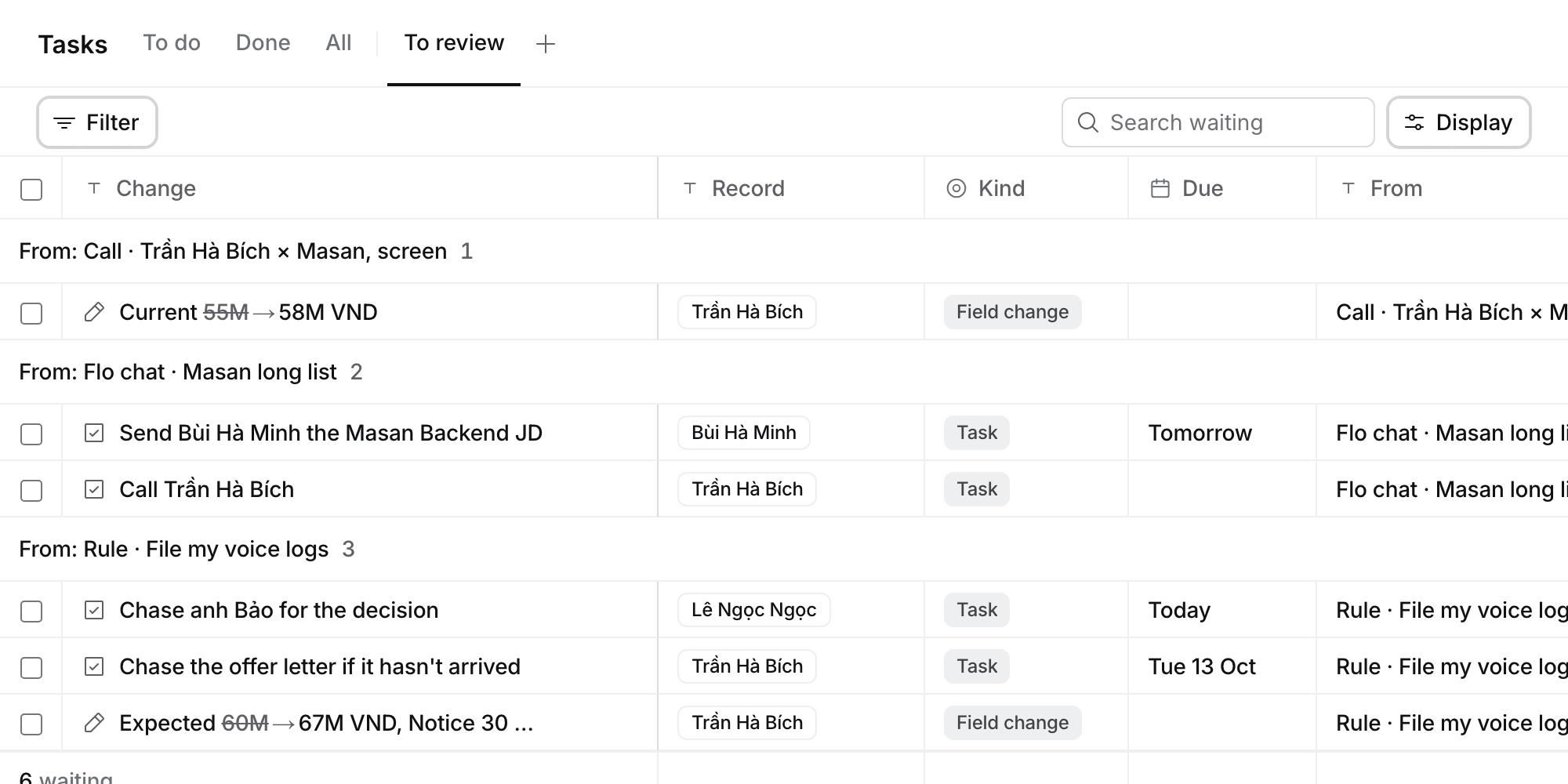
Tasks › To review groups every change that waits for you by where it came from.
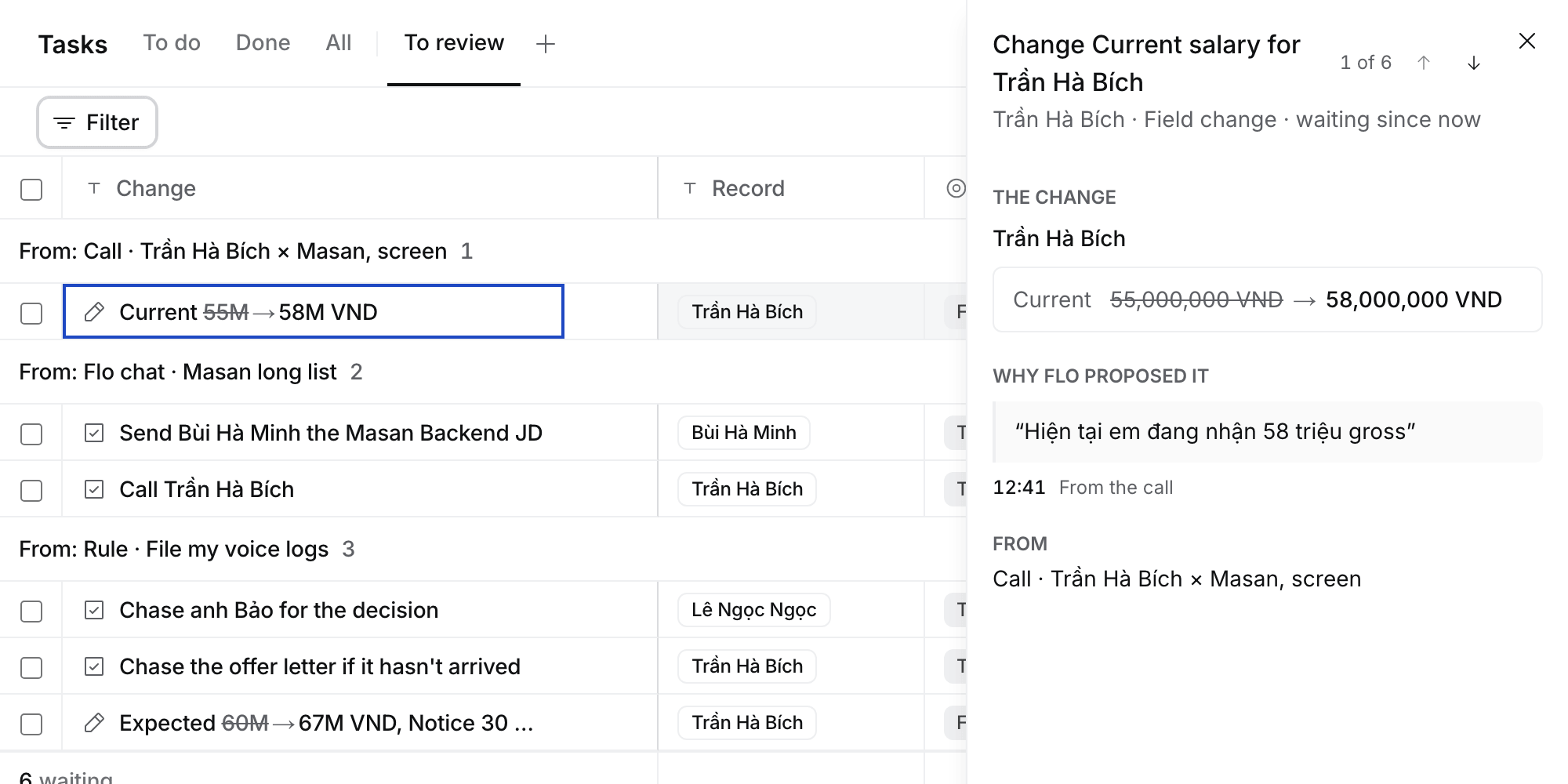
A change opens beside the table with the words Flo read.
Where else changes show
The same rows, with Approve and Deny, show where you’re working. Select a row to open it in To review.- Your chat with Flo, under Flo’s answer, with Open in To review. Once every change is decided, Flo carries on. When you deny one, Flo asks why.
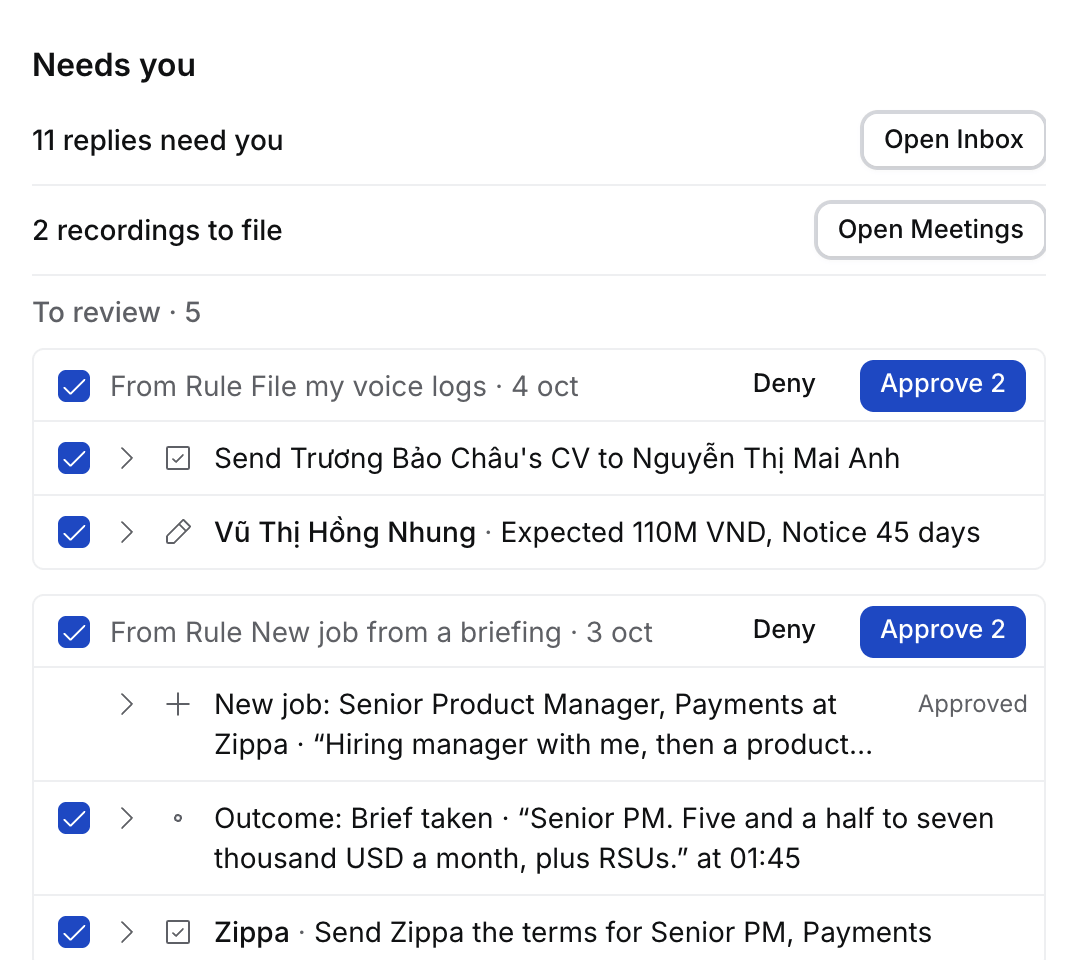
- Today › Needs you, under To review: five rows, then Show all opens Tasks › To review.
- The record’s page, above its Activity, for changes about that record. A change about an application also shows on its candidate and its job.
- Meetings, where the header says how many changes your calls in view left, as 3 to review.
- The pill beside Ask Flo counts them, as 4 to review, and opens Tasks › To review.
A change to someone else’s record
Only a Job’s owner, their Manager or an Admin can change the Job, and only an Application’s consultants, its Job’s owner, their Managers or an Admin can change the Application. A Target works the same way as a Job: its owner, their Manager or an Admin changes it, and only their Manager or an Admin gives it to someone else. In the table and the Target sheet, a record you can’t change shows read only. When you ask Flo to change one you can’t, Flo says “Sent to Mai to approve.” and the change waits in Mai’s To review, under your name, for seven days. Approve runs the change as Mai. A Rule’s chat in Flo is named after the Rule.Undo
- Receipts: select Undo on the receipt, or press ⌘Z while the toast shows.
- Imports: Undo import works for 14 days, for the person who imported, Owners and Admins. See Import your data with Flo.
- Stage moves and archive in the app show Undo too.