
Before you start
You can move the application: you’re one of its consultants, you own the Job, you manage its owner, or you’re an Admin. Everyone else sees the stages read-only.On the board
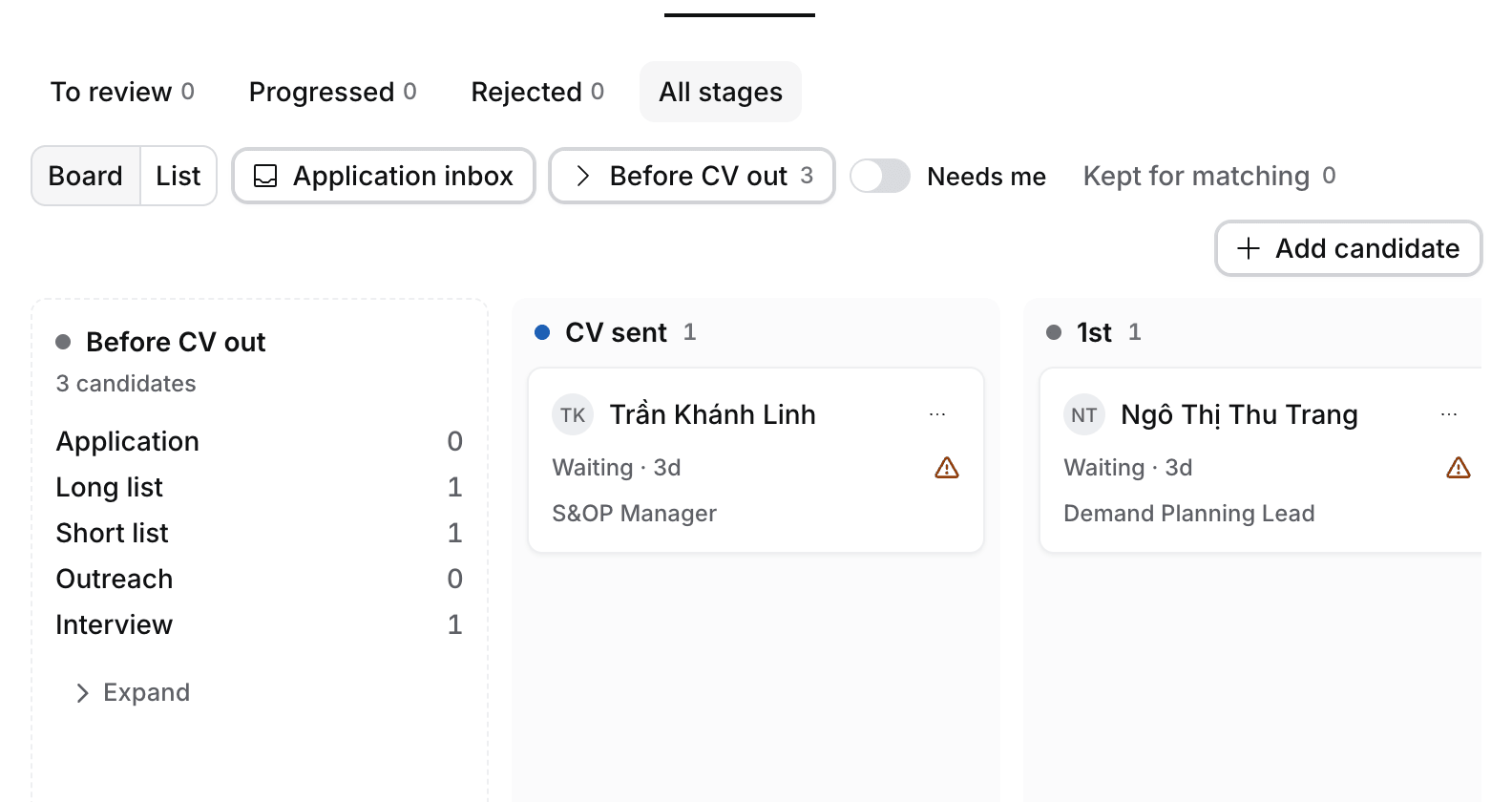
- Open the Job and select the Pipeline tab, then All stages.
- Drag a card to its new column, or select its ⋯ › Move to and pick the stage. Hire says “Moved to <stage>”.
In the list
Switch the Pipeline to List and pick a new Stage in the row. To move several, tick them and select Move to stage in the bar. A bulk move has Undo.Close an application
Set Closed reason on the application: Rejected by client, Withdrew, Placed elsewhere, Offer declined or Kept for matching.What happens next
- Moves past CV sent count toward the client’s rounds on CCM. See How to follow candidates at the client on CCM.
- After a call or a logged message, Flo proposes moves, for example to the next round when the client said yes. They wait in Tasks › To review until you approve them.
- A move to Placed opens Create placement. See How to manage a placement.