
Steps
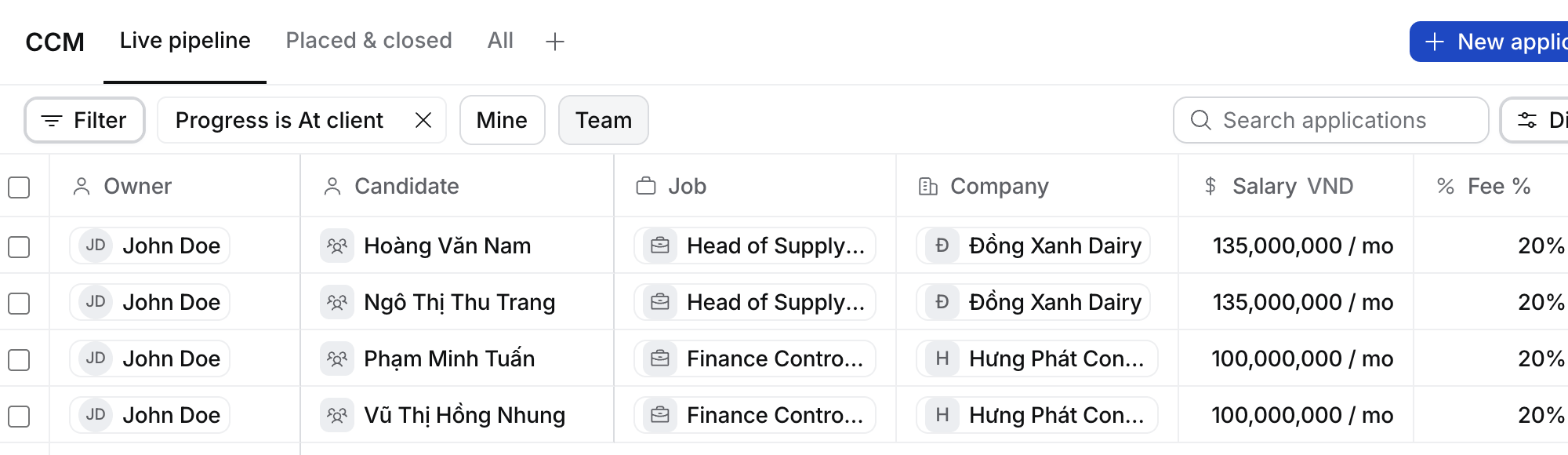
- Select CCM in the sidebar. It opens on Live pipeline: every application in a round or at Offer, the one waiting longest first.
- Switch Mine and Team to see your own or your team’s.
- Select a row to open the application beside the table.
What happens next
- Placed & closed lists the applications that are placed or closed, with their state and closed reason. All lists every one.
- Filter, sort and group it like any table, and save your own View.
- A candidate shows here once their CV is out and they reach the Job’s first round.
Record a CCM the client booked
Clients often agree a time on Zalo or by phone before any invite arrives. Log it with Log activity (⌘ E), for example “Masan confirmed Nam’s 2nd round for Tuesday 15:00”, on the candidate, the application or the client contact. Flo’s card proposes moving the application to that round if it’s not there yet, and booking the CCM for that time. When you approve it:- The application’s Activity reads “booked the 2nd round CCM for Tue 14 Oct, 15:00”.
- The application’s owner gets two tasks: prep the candidate on the working day before, for the round’s format, and keep them warm on the working day after.
- If the client moves it, log the new time. The same two tasks move with it.
- Dashboard › KPI sheet counts CCMs booked: each round of an application once, however often it moves.