
- Select Meetings in the sidebar. List is selected.
- File anything under To file.
- Find a past meeting or log under Past, by searching, filtering or choosing a View.
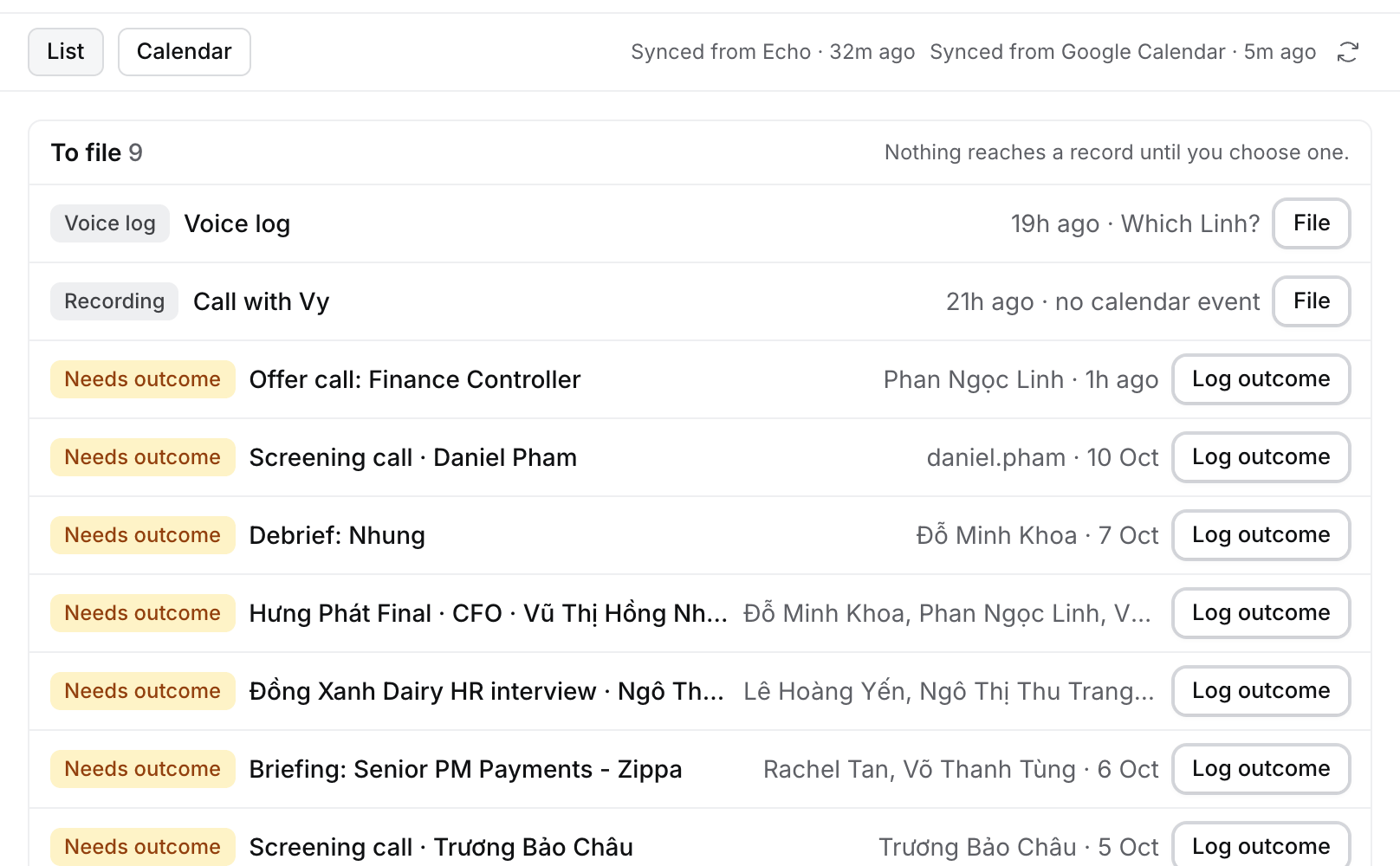
To file
Echo recordings and voice logs that aren’t filed yet wait here, along with meetings that still need an outcome. Nothing reaches a record until you choose one.- Voice log with Which Linh?: Flo heard a name that fits more than one record. Select it and pick the record.
- Recording with no calendar event: Echo recorded it outside your calendar, for example a phone call. Select it, then file it to a record or link it to an event. See Your Echo recordings.
- Needs outcome: a meeting that ended without an outcome. Select Log outcome, or Not a recruiting meeting to stop the ask. Undo on the message brings it back.
Coming up
Today and the next six days, grouped by day. Each row shows its time, type and the record it’s about. Select one to open it. With nothing in those days, Coming up names the next event on your calendar, for example Nothing until Mon 19 Oct. then Next: Weekly dev sprint · Mon 19 Oct, 11:30.Past
Every interaction you’ve had, newest first, in the same table as Companies or Jobs: meetings from your calendar, Echo recordings, voice logs and the calls and messages you logged.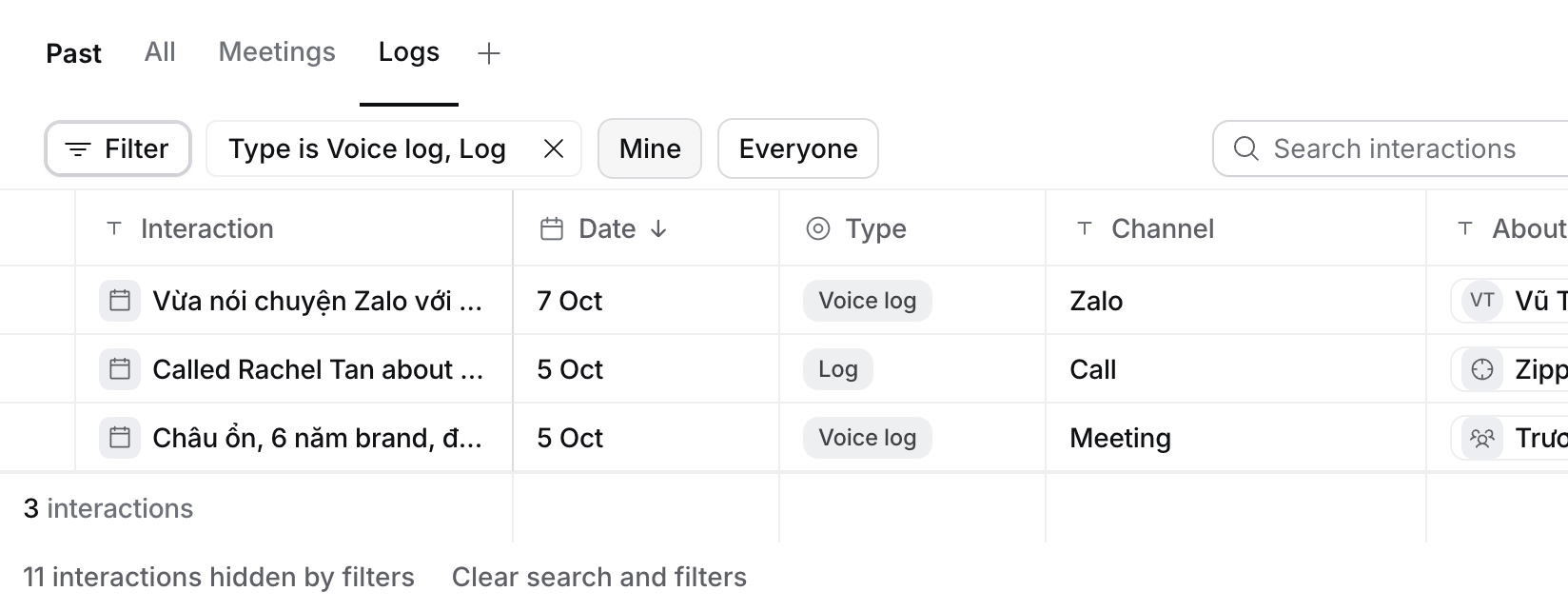
Display adds Meeting type, Duration and Who. The Views are All, Meetings and Logs, and you can save your own, as on any table. Filter narrows by most columns: Channel contains Tele finds logs on Telegram typed as Other. A meeting’s outcome note is part of its meeting, not a row of its own.
- A meeting opens its page. A recording opens beside the list, where you file it.
- A log opens beside the list: the whole note with Edit and Archive, its record, and what Flo proposed from it.
A record’s meetings
A Contact, Candidate or Job has a Meetings tab. It lists the meetings coming up, then Past: the same table as Meetings › Past, with every meeting, recording and log about that record. A Candidate’s and a Job’s tab also include the ones about their applications. On a Job, Interview loop comes first: one row per candidate, with their screen and each client round under the Job’s rounds.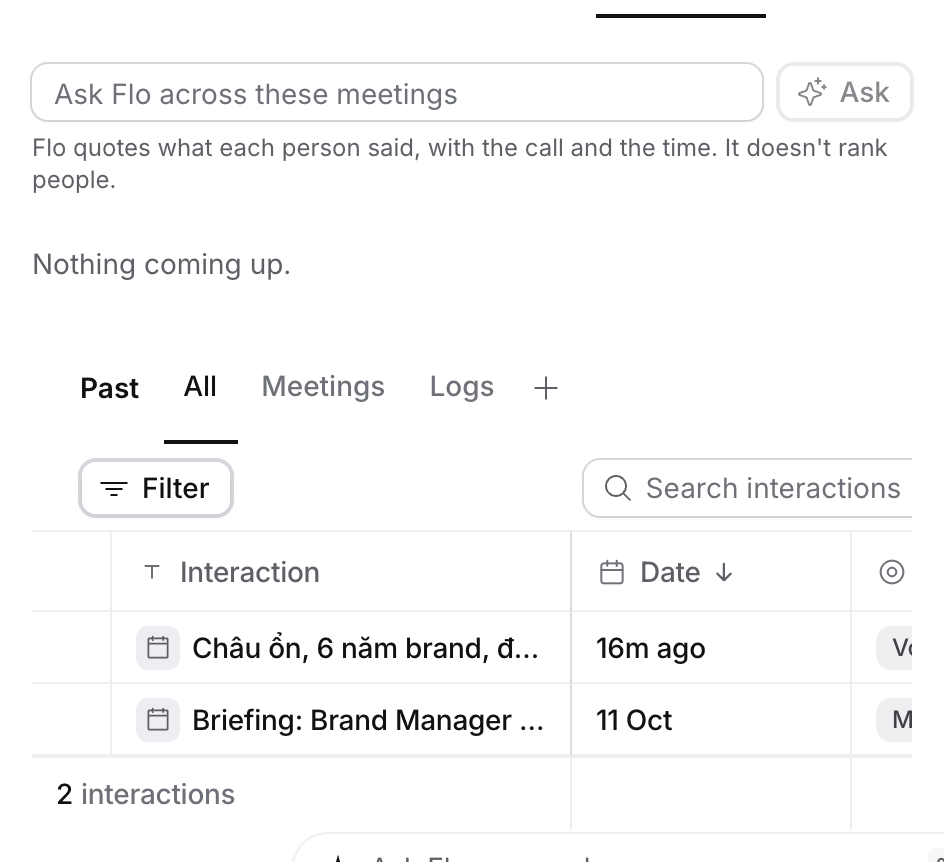
The calendar
Select Calendar to see Day, Week, Agenda or Month. It opens the one you used last. Select List to come back. Press L for the list, and D, W, A or M for a calendar view.A meeting’s page
Select a meeting under Past, or Open (⌘ ↵) on a meeting’s side sheet, to see it as a page. Before the call the page shows only Brief, Files and Activity.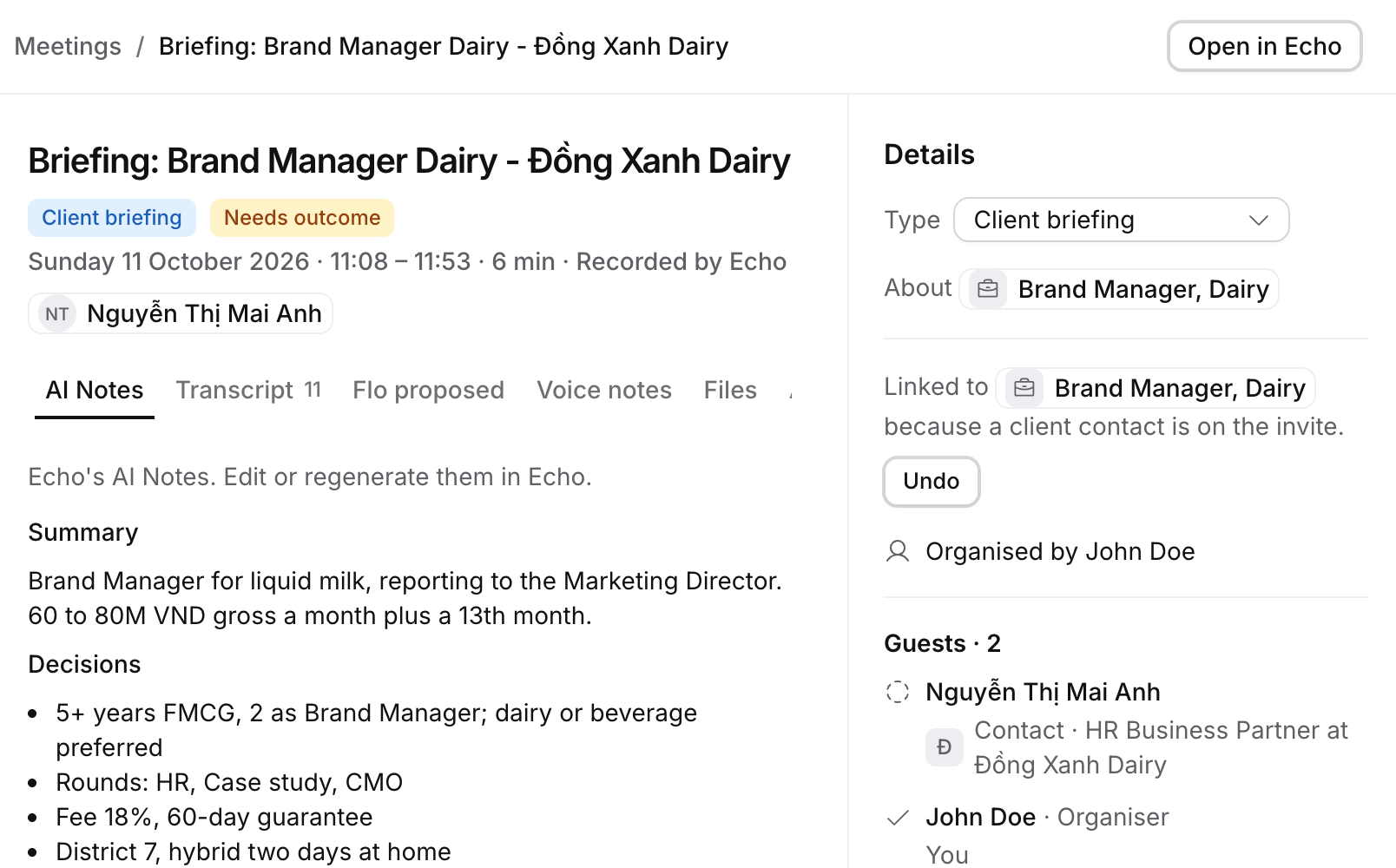
Details on the right holds the type, the record it’s about, where it was and who came. A call with a client that has several live Jobs also shows Which job is this about?, with the suggested Job first. Hire suggests a Job, an outcome or a stage move from a call only when its decision model is sure; otherwise you choose. Filed from this call lists the changes you approved, each linked to its record.
Open in Echo opens the recording in the Echo app; the audio stays in Echo. A meeting’s address stays the same after you log its outcome.