
Name the speakers
- Open the meeting’s page and select Transcript.
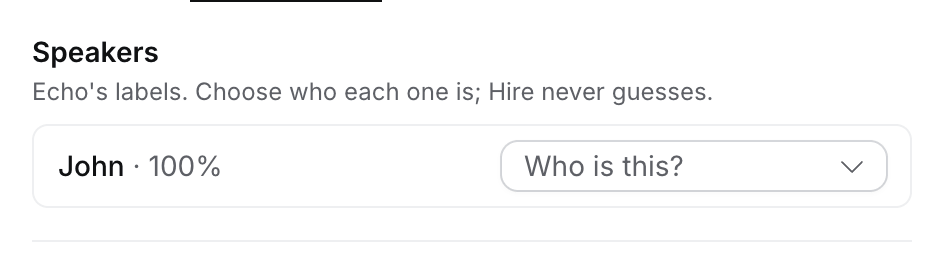
- Under Speakers, each of Echo’s labels shows its share of the words.
- Select Confirm when a label already reads as a guest’s name, or Who is this? to pick the person from the people on the invite.
Find a word
Type in Find in transcript. Hire marks every match and counts them, such as “2 of 5”. Press ↵ for the next match and ⇧ ↵ for the previous. Accents and capitals don’t matter.Jump from the notes
AI Notes holds Echo’s notes. When a line clearly matches something said, Flo adds the time after it, and the notes say “Times added by Flo from the transcript”. Select a time to jump to that moment in Transcript, then Back to notes. A line Flo can’t place for sure gets no time.People who weren’t on the invite
Under Speakers, Also in the meeting (not invited) lists people Echo heard who weren’t on the calendar invite. Hire never links them by itself. For each one:- Link to Vy Nguyen shows when they have the same full name as someone in Hire at the client’s company.
- Did you mean offers up to three addresses Hire saw near the meeting, such as vy@acme.com · emailed 2 days before. Select one to use it.
- Type an Email, Phone or LinkedIn and select Save. If someone in Hire has it, the speaker becomes them; if not, they wait on People we found with it.
- Link to a person searches everyone in Hire.
- Add as Contact or Add as Candidate puts them on People we found by name.