
Steps
- Open Meetings. Under Coming up, select the meeting, then Open to see its page. For a client briefing, you can also select Open brief in Needs you.
- The page opens on Brief. The first time, Flo writes it from Hire’s records, which takes a few seconds: “Flo is writing the brief from Hire’s records…”.
- Read What to know. Select a point’s source to open that record.
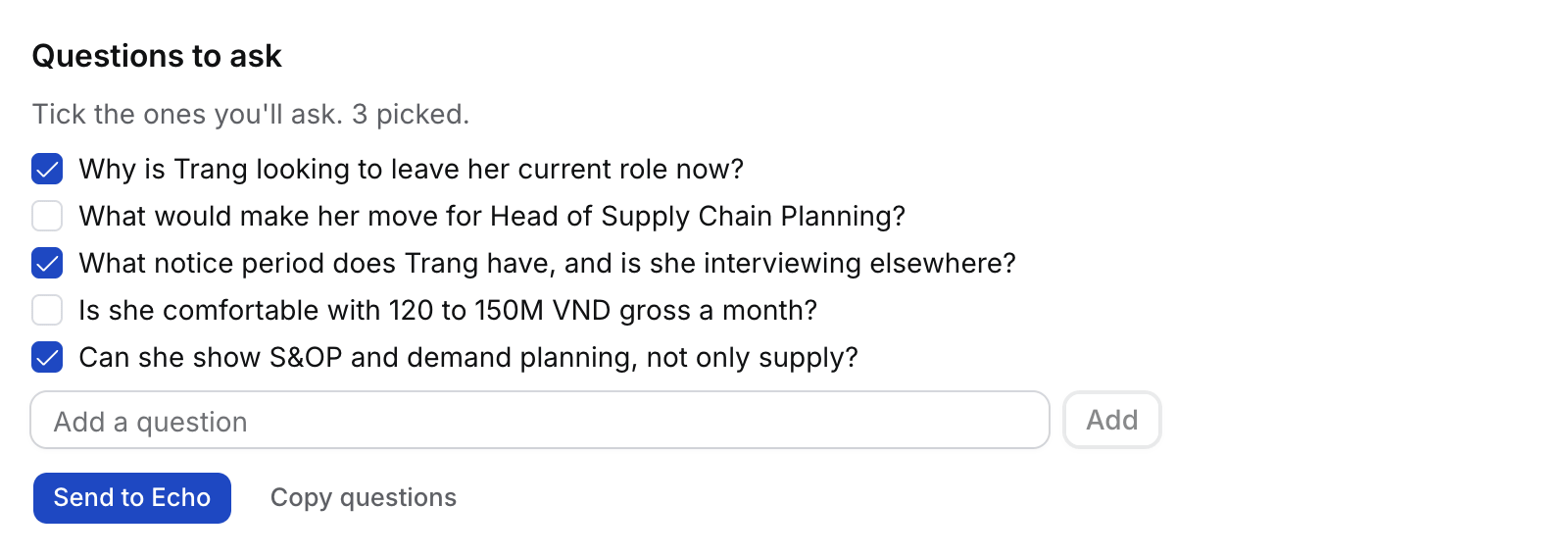
- Under Questions to ask, tick the questions you’ll ask. To add one of your own, type it in Add a question and select Add.
- Select Send to Echo. The questions go to Echo’s prep for this meeting, so you have them during the call. Hire also sends what Echo needs to follow the call: the role, the stage, the Job’s JD and client brief, and the candidate’s CV, each cut to about 1,200 characters. If Echo can’t take them, select Copy questions and paste them into Echo.
What’s in it
- What to know. Up to six points, such as the candidate’s stage, what the client asked for, salary and notice. Each names its source.
- Questions to ask. With a candidate on the call, up to eight: why they would leave now (push factors), what would make them move (pull factors), motivation, salary, notice, and the Job’s must-haves they haven’t shown yet. For other meetings, up to four drawn from the open points.
- Flo reads the record the meeting is about first, then each guest’s Candidate, live Applications with their Job’s briefing, and Contact: their fields, recent Activity and open Tasks.
What happens next
- Refresh writes the brief again after you log something new. Your ticked questions stay.
- Changing the ticked questions after you sent them shows Send to Echo again.
- After the call, Flo proposes the candidate’s salary, notice, motivation, push factors and pull factors on one card for you to approve. See How to file a call.
- Only you see your brief. Writing it never changes a record.
- After the call, the page opens on the notes and the brief keeps its own Brief tab.
- To change how early the client-briefing brief arrives, or turn it off, open Flo › Rules › Brief me before client briefings.
Troubleshooting
- “Nobody on the invite is in Hire”. Add a guest as a Contact or Candidate, or link the meeting to a record under About, then select Refresh.
- “Hire’s records hold nothing new about these people”. Log your last call with them, then select Refresh.
- “Flo couldn’t write the brief”. Select Refresh.
- “Echo can’t take questions from Hire yet”. Your Echo doesn’t accept questions from Hire yet. Select Copy questions and paste them into the call’s prep in Echo.
- “Echo couldn’t take the questions”. Echo didn’t answer. Select Copy questions and paste them into the meeting’s notes in Echo.
- “Connect Echo in Settings › Connections”. Connect Echo, then select Send to Echo again.