
1
Open People we found
Select Review on Get started’s Review N people we found row on Today, or People we found in the sidebar under Inbox. While Hire reads your sources, a strip under the tabs shows each source’s count, such as Gmail · 355 emails read · back to Jun 2026, and Finding people… 6 so far. People show in the list as Hire finds them. When everything is read, the header’s right reads Synced. Point at it for each source’s count.
2
Pick people in the list
The page opens on List: one table, grouped by company, with No company last. In Hire marks a company Hire already has. Tick people, tick a company’s box for everyone there, or tick the header for everyone shown. Then use the bar above the table: Add, Skip or Not a client. Change someone’s Type between Contact and Candidate in their row. A contact needs a company: choosing Contact for someone under No company opens a company picker in that cell. Pick a company, or type a name and select Add, and they move under it. Select the arrow on a company to fold it. Search, Sort and Group by sit above the table, as on Companies and Contacts.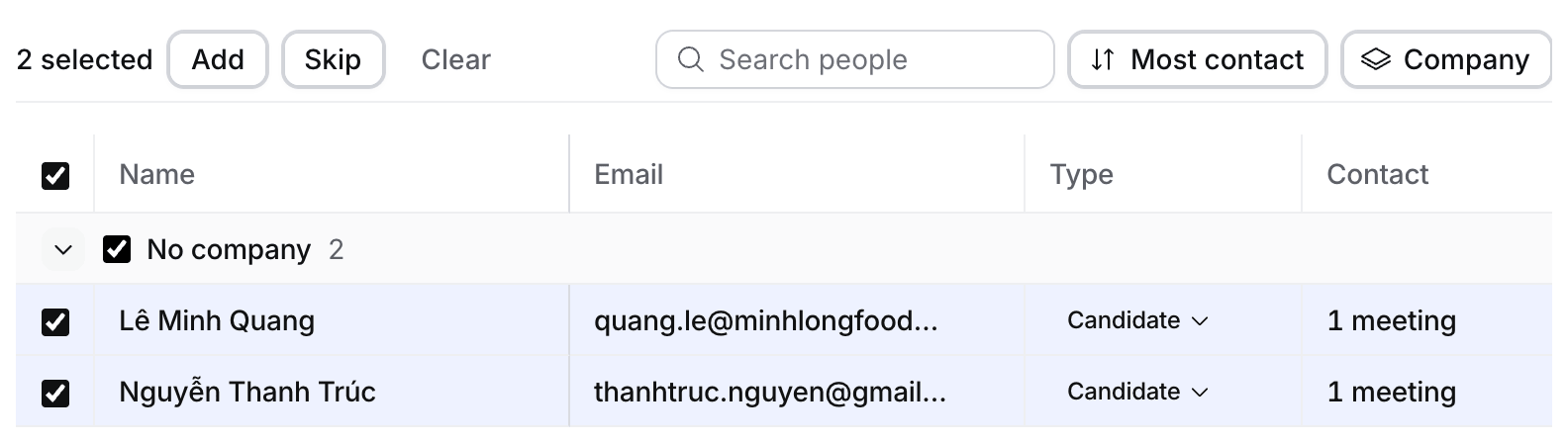
3
Skip someone, or mark a company Not a client
Skip and Not a client move people to Hidden, and a message says Moved to Hidden. Select Undo in it to bring them back.
4
Check the job
A person’s row can say for Data Analyst: the open job their meetings name, or one at their company. Change it or clear it with the picker. Adding a candidate adds them to that job. Adding a contact adds them at the job’s company, and makes them its hiring manager when it has none. If either part can’t be added, neither is.
5
Find someone Hire hid
Select Hidden. Everyone Hire hid is in the table. Pick a reason above it to filter, search, sort by most contact, name or domain, or group by domain or reason. Select Suggest anyway or Undo on one person, or tick several and use the buttons above the table.
Why Hire hid someone
Only you see this page. A suggestion you leave for a week expires, and Hire can suggest that person again later.
If something looks wrong
- Nothing appears. The strip says Reading your mail… people will appear here while Hire reads. The last 30 days take about a minute. Nobody waiting with nobody added: check Contact creation isn’t None.
- A name looks wrong. Select the pencil next to it and type the right name before you add them.
- You added the wrong person. Select Undo in the Added message, or archive the record.
- A sender should never come in. Block it in Your account › Connections › Blocked senders.
- A company is in Hire twice. Merge the duplicate.