
1
Choose who Hire suggests
Open the Inbox. Under Contact creation, keep Sent unless you want people who only wrote to you too.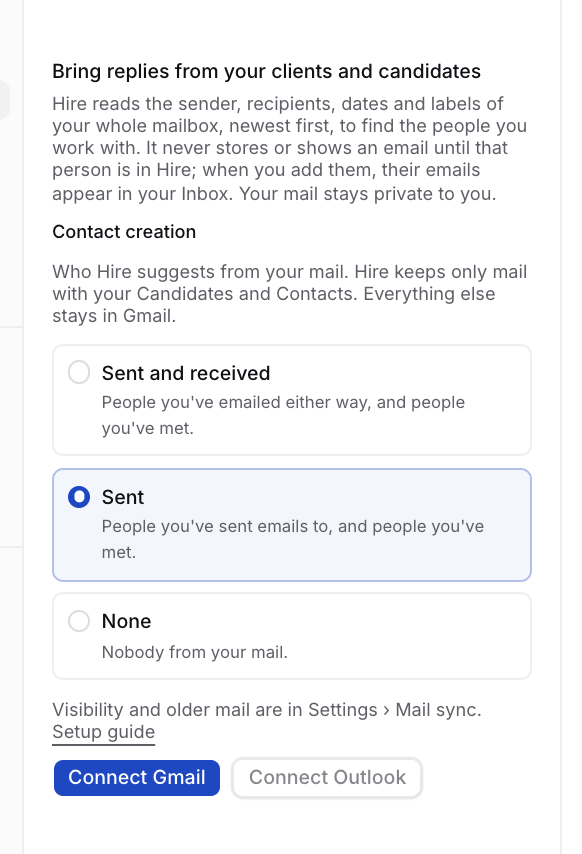
2
Connect and approve
Select Connect Gmail and approve on Google, whose screen names Composio, Hire’s mail provider. Hire opens People we found and starts reading.
3
Approve the people we found
Their mail comes into your Inbox once you approve them. See Review the people we found.
Mail sync settings
Change these any time in Your account › Mail sync. They apply to your mailbox only.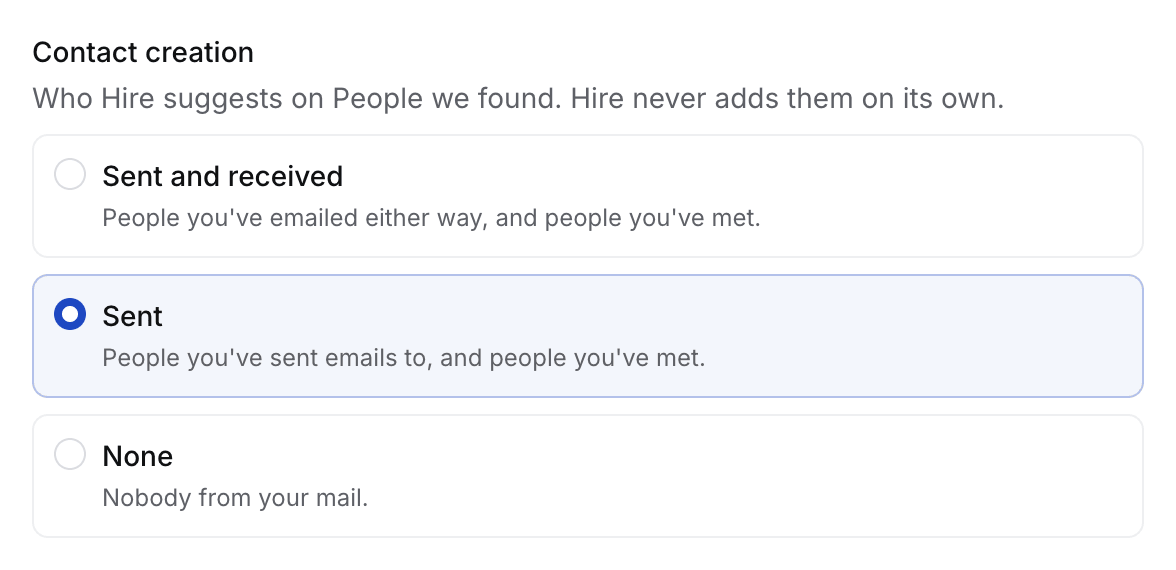
Hire reads the headers of your whole mailbox, keeps mail only with people in Hire, and never changes anything in Gmail. See Where your data lives.
If something looks wrong
- A colleague is suggested. An Owner or Admin adds the domain in Settings › General › Agency email domains.
- A sender should never come in. Block it in Your account › Connections › Blocked senders. Hire removes what it kept.
- “That took too long. Connect again.” Select Connect Gmail again, from Hire, never from Composio’s site.
- Settings says Needs reconnect. Select Reconnect.
- You disconnect. Hire deletes the mail it stored from Gmail. Your Candidates and Contacts stay.