
Turn review on
Confirming the ideal candidate in the guided setup turns review on. You can also select Start review on the Pipeline tab. Pause review turns it off. Only the Job owner and Admins can start or pause it. Turning review on also reviews everyone already waiting at Application, whoever added them, including applicants who came in by job-board email. The reviews run as the person who turned review on.Read the list
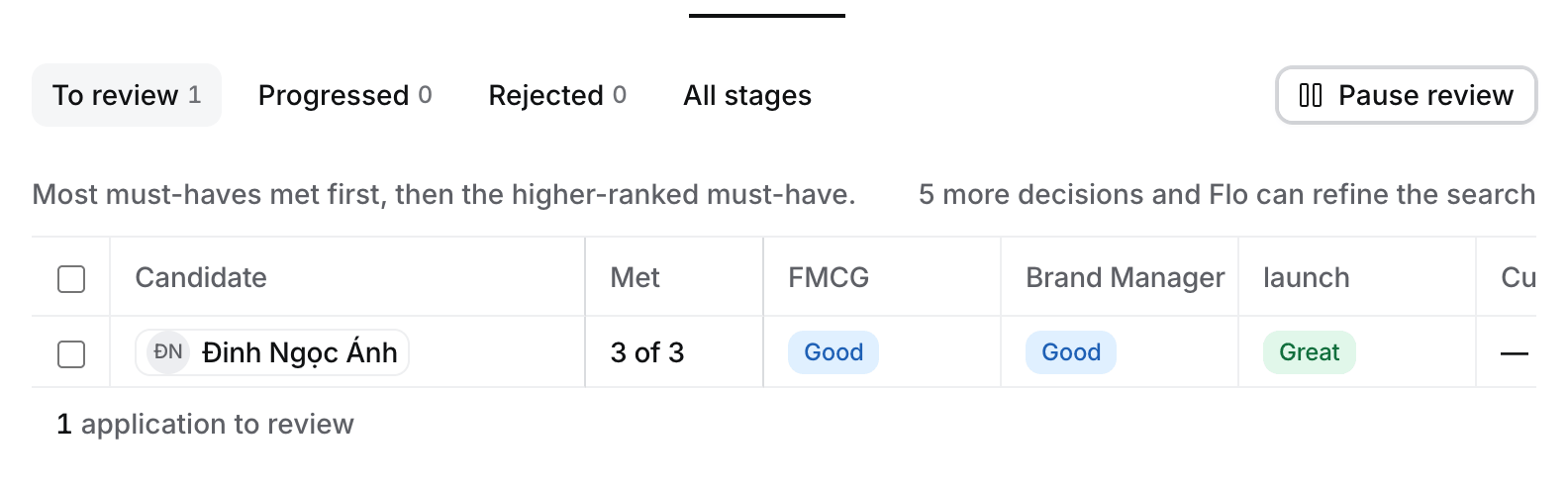
To review on the Pipeline tab. The test applicant's CV has no dated work history, so every line is Inconclusive.
- Met, frozen beside the name, reads “4 of 5”: how many must-haves are Good or better. The list sorts by it, then by who met the higher-ranked must-have.
- One pill per must-have shows Flo’s word: Great, Good, Okay, Poor or Inconclusive. Select a pill to see the reason, the quote from the CV and its source.
- A Medium or High integrity badge on the name means Flo saw signs of tampering. It is advice, never a verdict.
- After the must-haves, Current tenure, Average tenure and Total experience come from the dates on the CV, worked out by Hire, never guessed. A dash means the CV gives no dates. Applied and Source say when and from which board the application came.
- Hover over or focus Met to read Flo’s reason for each must-have in one paragraph.
- The footer counts “12 applications to review”.
Decide
Open a row to see the review panel.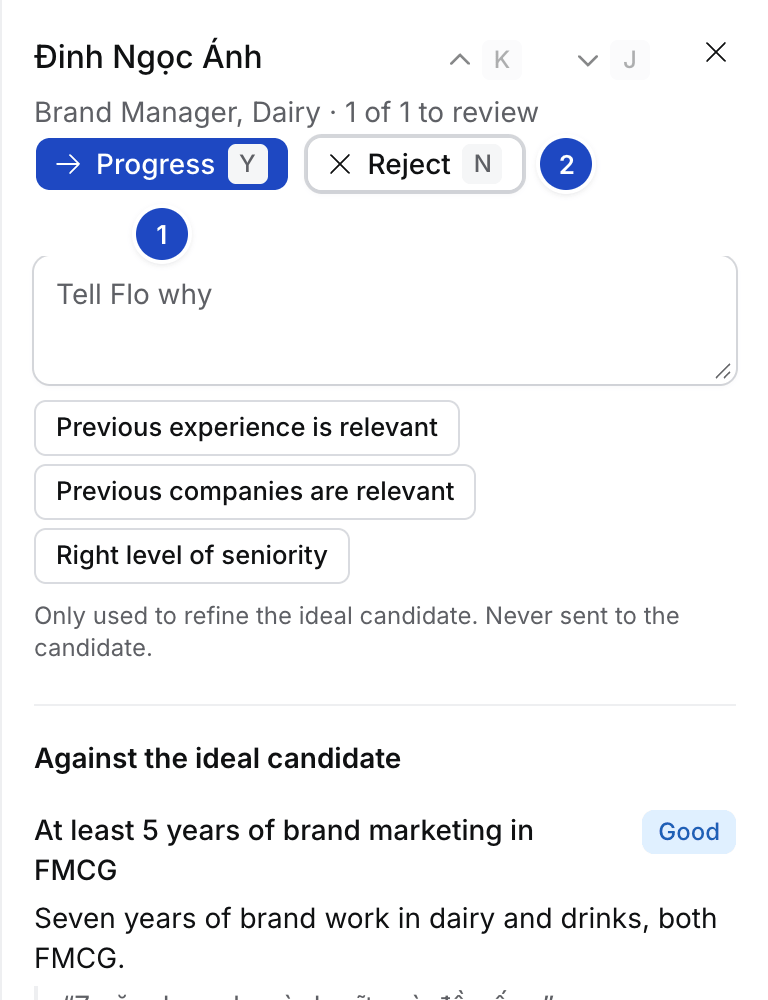
- Progress Y moves the applicant to Long list.
- Reject N asks why, then closes the Application as Kept for matching. The ticks are Too junior, Too senior, Job hopping, Experience not relevant enough, Wrong location, Missing a must-have, Already in our pipeline and Works for a current client.
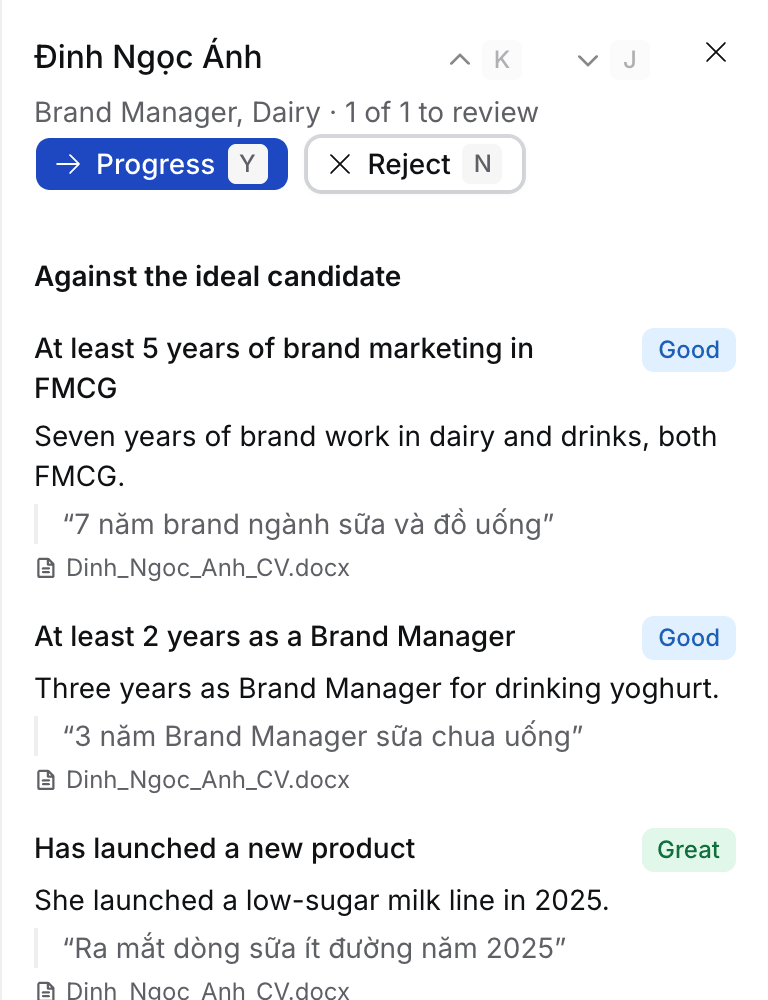
J and K move through the list in the panel.
Progress moves the Application to Long list. A reason is optional. Reject needs at least one reason, a tick or a line. It closes the Application as Kept for matching, so the person stays available for other Jobs.
Select several rows to progress or reject them at once. Reject asks for the reasons once.