
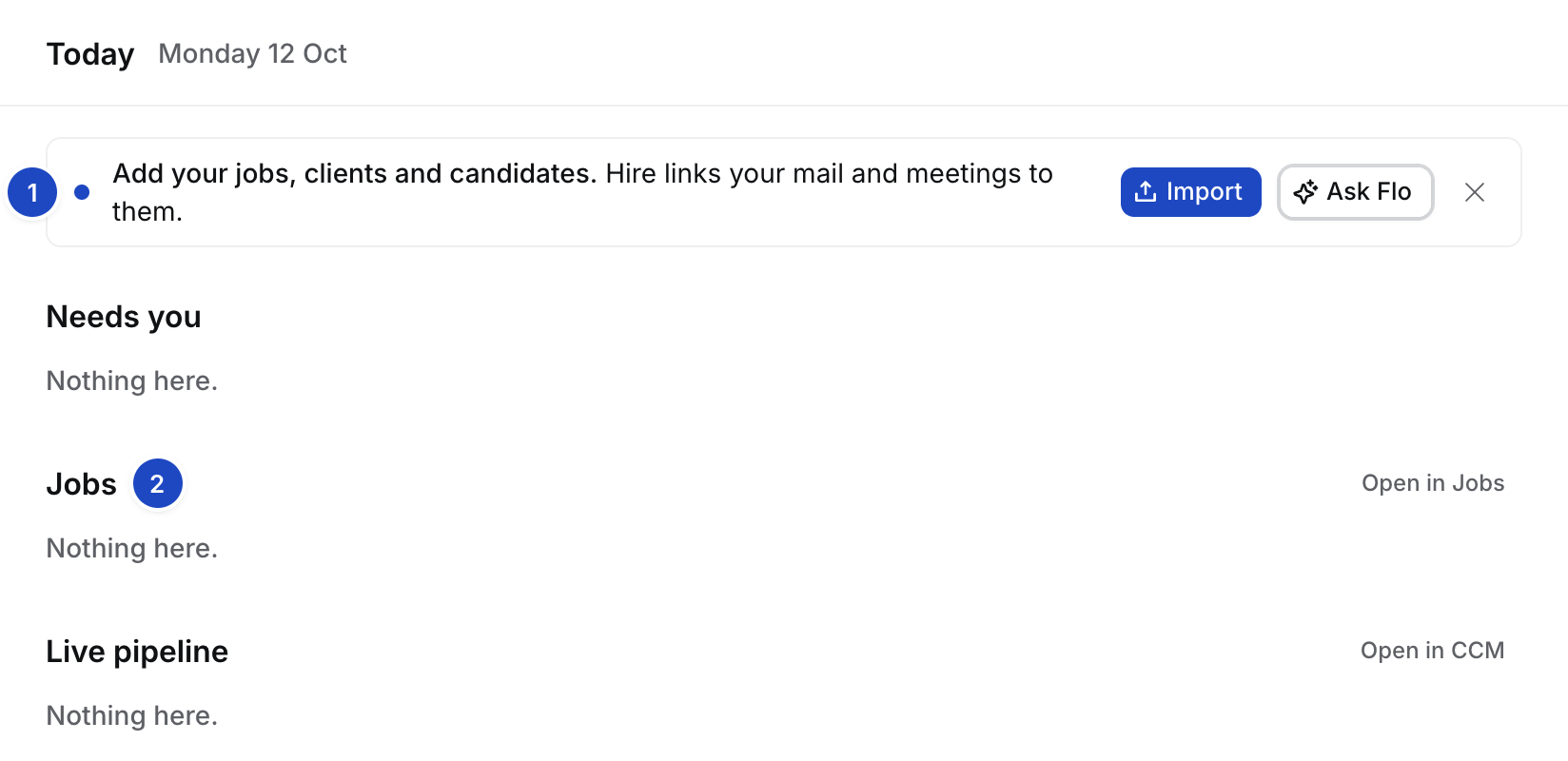
Get started on Today in a new agency.
Connect Gmail
Select Connect Gmail. On the Inbox’s connect card, keep Contact creation on Sent and select Connect Gmail. Google’s screen names Composio, Hire’s mail provider. Done shows Connected · Open Inbox.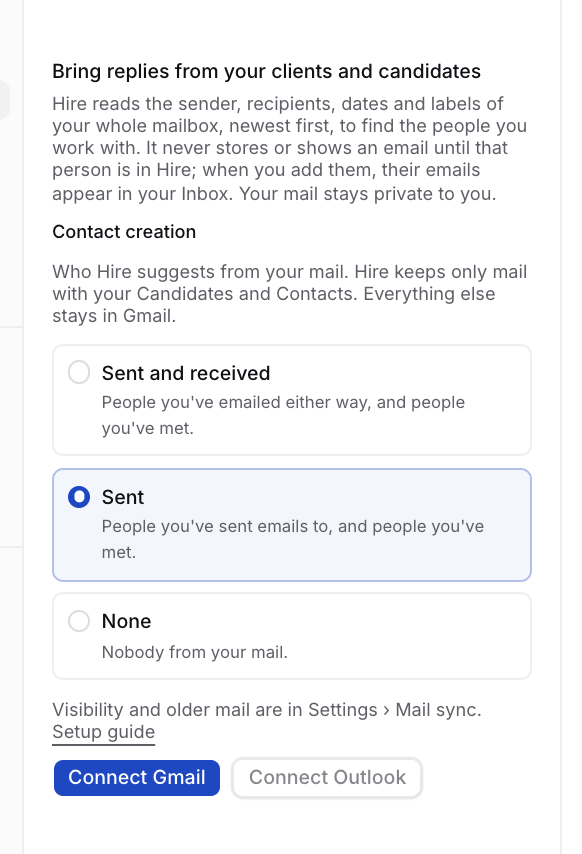
Connect your Google or Outlook calendar
Select Google or Outlook and approve. Your meetings link to your clients and candidates. Done shows Connected · Open Meetings.
Connect Echo
Select Connect Echo and approve. Recordings land on the meeting they came from. Done shows Connected · Open Meetings.
Review the people we found
While Hire reads your connections, the step says Finding people…. Then it says how many it found. Select Review. People we found shows one person at a time: select Add, Skip or Make Contact (how). Done shows Reviewed · People we found.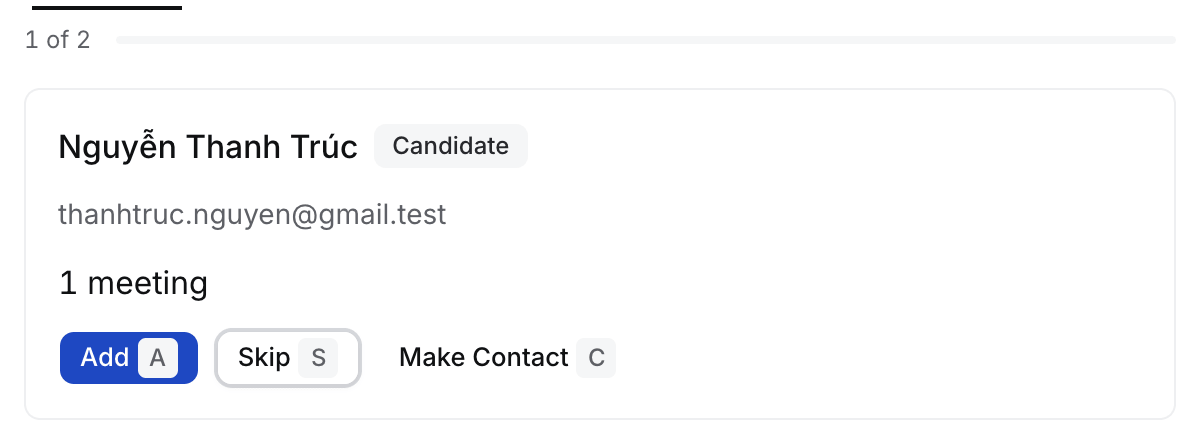
Import your jobs, clients and candidates
Select Import, then A spreadsheet, CVs or Anything else. You can also drop files on the step, or select drop any files on Flo to start the same import in Flo (Bring your people in). Done shows Imported · Open Jobs.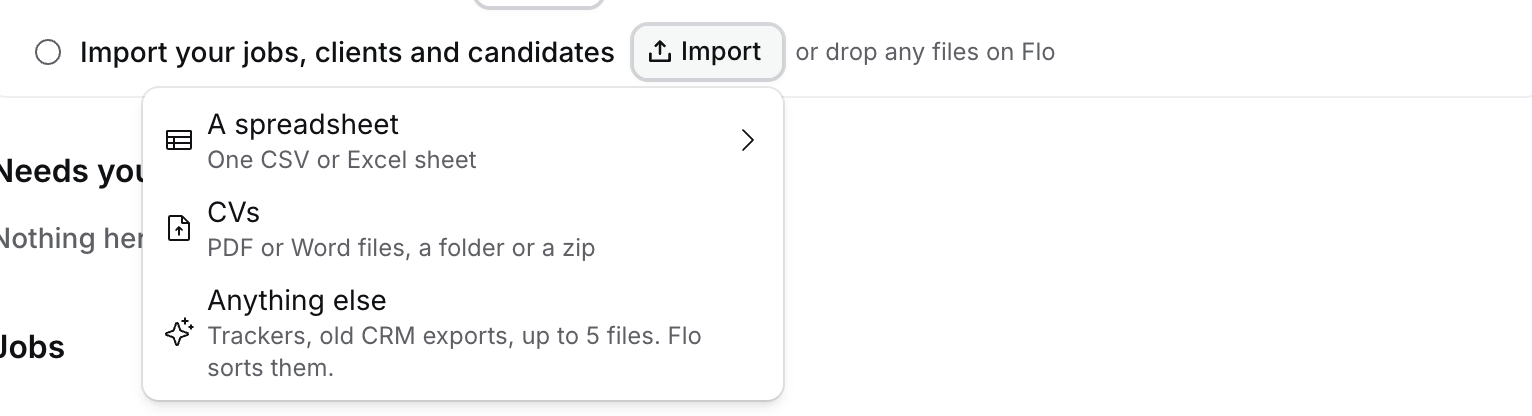
Hire keeps mail only with people in Hire, and your mail stays private to you. See Where your data lives.
Next
- Your first job: from a JD or a briefing call to your first shortlist.
- A morning in Hire: Today, Needs you and the Morning brief.