> ## Documentation Index
> Fetch the complete documentation index at: https://docs.ascern.io/llms.txt
> Use this file to discover all available pages before exploring further.
# How to create a job from a JD
> Give Flo the client's job description so it can draft the ideal candidate.
The Job description is what the client gave you: a file, an email or your notes from the intake call. Flo drafts the ideal candidate from it, with a source on every line.
## In the guided setup
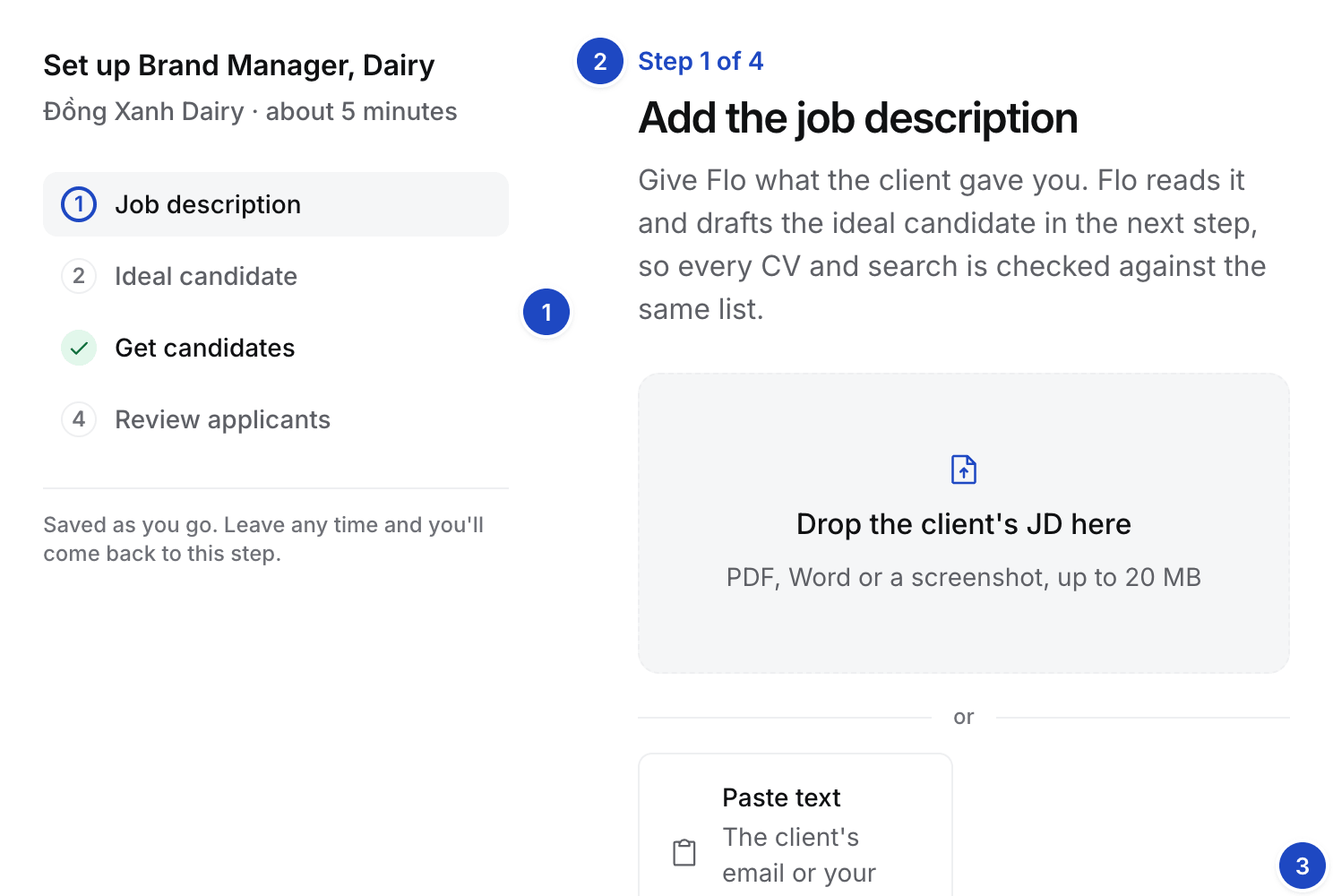
1. Open the Job. A Job whose setup isn't done opens on **Step 1 of 4, Add the job description**.
2. Under **Already in Hire**, the step lists what Hire holds for this Job: each client call with a transcript or notes, and the client's files on the Company. Select **Use this call** to draft from a call, or **Attach** to put a Company file on the Job.
3. Or drop the file on the drop zone, or select **Upload JD**. PDF, Word or a screenshot, up to 20 MB.
4. Or select **Paste text** and paste the client's email or your notes. The **Also helps** chips open the same ways in: intake call notes, a client email or a scorecard.
5. Flo reads it. The step reads "Flo is reading the JD" for about a minute. You can leave the page.
 ## On the Job description tab
Open the Job's **Job description** tab. The left column lists what the client gave you. The right column holds the Ideal candidate. Select **Draft with Flo** to draft it from the files and notes on the left, or **Write it yourself**. When the tab is narrow, for example with Flo's panel open, the Ideal candidate moves below the job description.
## On the Job description tab
Open the Job's **Job description** tab. The left column lists what the client gave you. The right column holds the Ideal candidate. Select **Draft with Flo** to draft it from the files and notes on the left, or **Write it yourself**. When the tab is narrow, for example with Flo's panel open, the Ideal candidate moves below the job description.
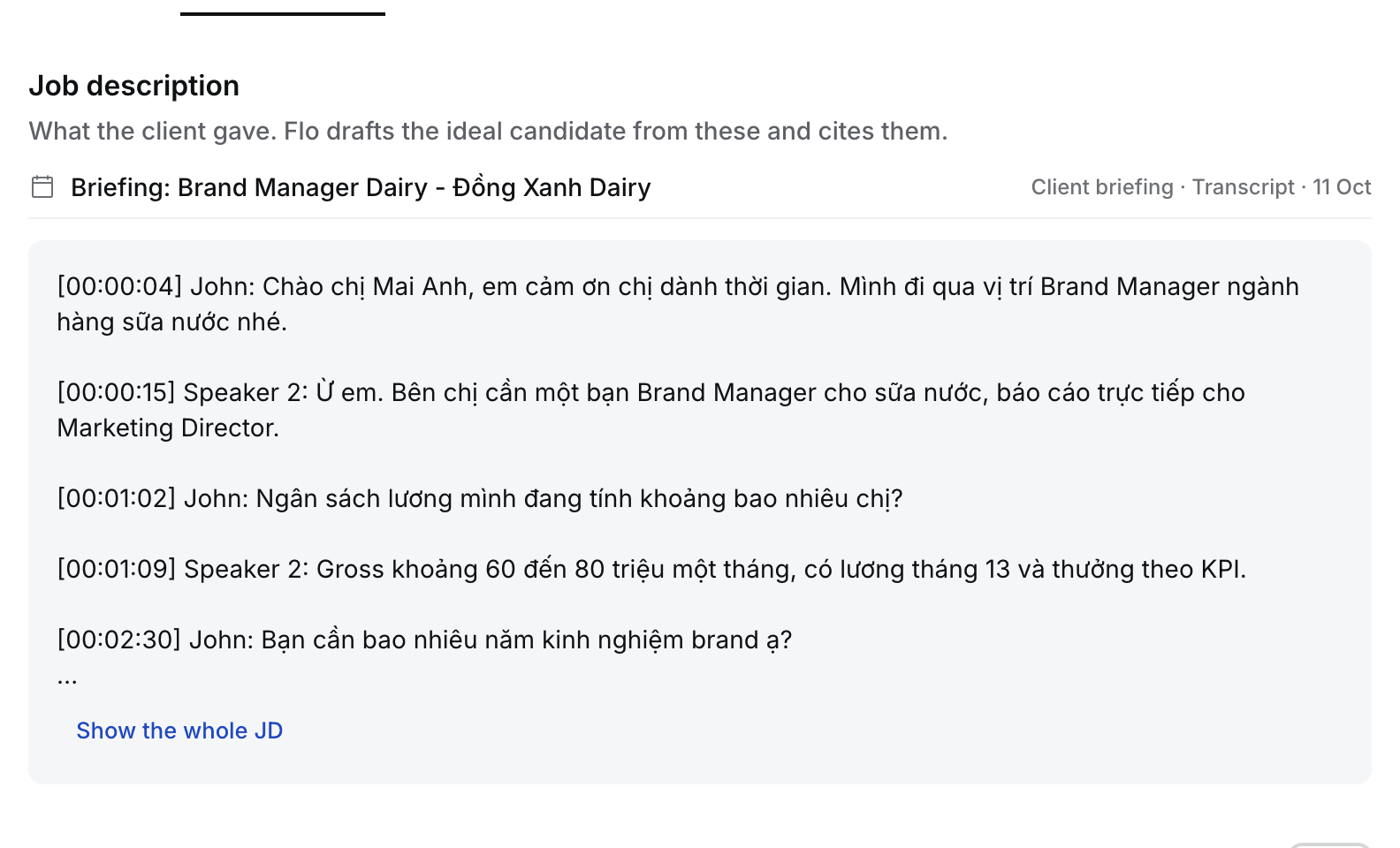 Client calls recorded by Echo also feed the Job: on their own when the client has one live Job, and once you answer **Which job is this about?** when it has several. See [Connect Echo](/guides/how-to/connect-echo).
This documentation is built and hosted on [Mintlify](https://mintlify.com), a developer documentation platform.
Client calls recorded by Echo also feed the Job: on their own when the client has one live Job, and once you answer **Which job is this about?** when it has several. See [Connect Echo](/guides/how-to/connect-echo).
This documentation is built and hosted on [Mintlify](https://mintlify.com), a developer documentation platform.