> ## Documentation Index
> Fetch the complete documentation index at: https://docs.ascern.io/llms.txt
> Use this file to discover all available pages before exploring further.
# How to log a chat on another channel
> Log a Telegram chat, a Facebook message or a coffee, and keep the channel's name on it.
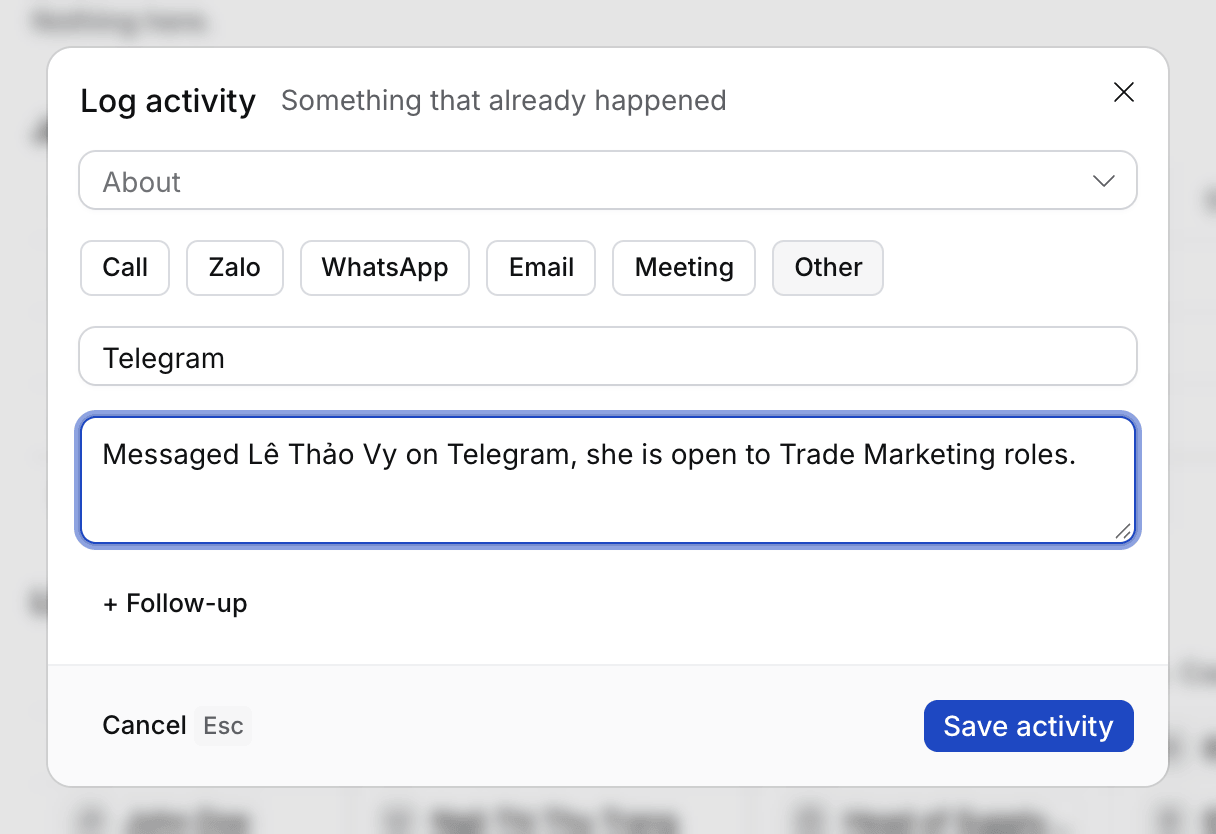
Log activity lists Call, Zalo, WhatsApp, Email and Meeting. For anything else, choose **Other** and type what it was.
## Steps
1. Press ⌘ E and select **Type instead**, or press Tab.
2. Type what happened, such as "Messaged Vy on Telegram, she's open to Trade Marketing roles."
3. Select **More options**, then **Channel** › **Other**.
4. Under "Which channel?", type the name, such as Telegram, Facebook or in person. Up to 40 characters.
5. Select **Save activity**.
 ## What happens next
* Meetings › Past, the record's Activity and Flo show the name you typed in place of Other.
* When you talk or type it to Flo instead, Flo picks up the channel's name from your words, for example "on Telegram".
* To find these logs later, filter **Channel** on Meetings › Past: "Channel contains Tele" finds Telegram.
## Troubleshooting
* **The name didn't show.** Left blank, the channel saves as plain Other.
## Related
* [How to log a call by voice or typing](/guides/how-to/log-activity)
* [How to find a meeting](/guides/how-to/find-a-meeting)
This documentation is built and hosted on [Mintlify](https://mintlify.com), a developer documentation platform.
## What happens next
* Meetings › Past, the record's Activity and Flo show the name you typed in place of Other.
* When you talk or type it to Flo instead, Flo picks up the channel's name from your words, for example "on Telegram".
* To find these logs later, filter **Channel** on Meetings › Past: "Channel contains Tele" finds Telegram.
## Troubleshooting
* **The name didn't show.** Left blank, the channel saves as plain Other.
## Related
* [How to log a call by voice or typing](/guides/how-to/log-activity)
* [How to find a meeting](/guides/how-to/find-a-meeting)
This documentation is built and hosted on [Mintlify](https://mintlify.com), a developer documentation platform.