> ## Documentation Index
> Fetch the complete documentation index at: https://docs.ascern.io/llms.txt
> Use this file to discover all available pages before exploring further.
# Connect Gmail
> Connect your work Gmail: Hire suggests the people you email and keeps only your mail with Candidates and Contacts.
Connect your work Gmail so your mail with Candidates and Contacts reaches the [Inbox](/guides/how-to/use-the-inbox) and their records.
Open the **Inbox**. Under **Contact creation**, keep **Sent** unless you want people who only wrote to you too.
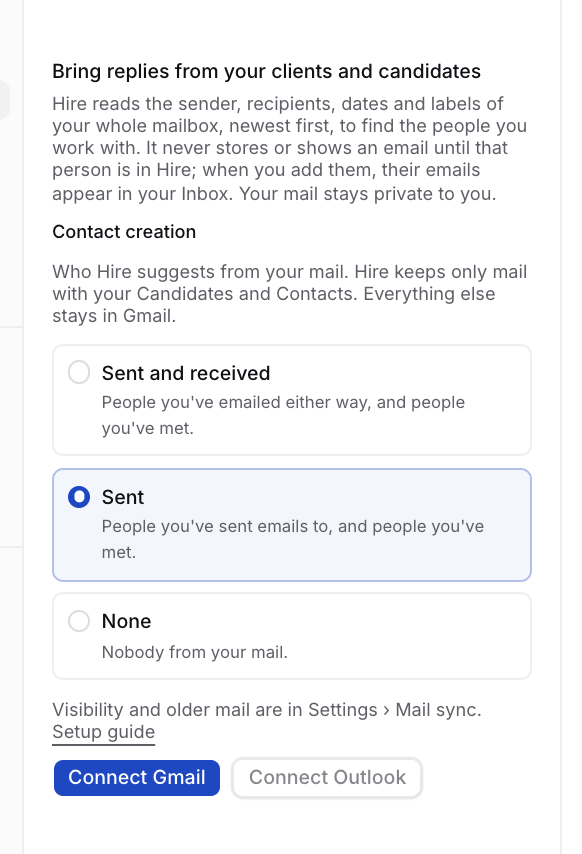 Select **Connect Gmail** and approve on Google, whose screen names Composio, Hire's mail provider. Hire opens **People we found** and starts reading.
Their mail comes into your Inbox once you approve them. See [Review the people we found](/guides/how-to/review-people-we-found).
## Mail sync settings
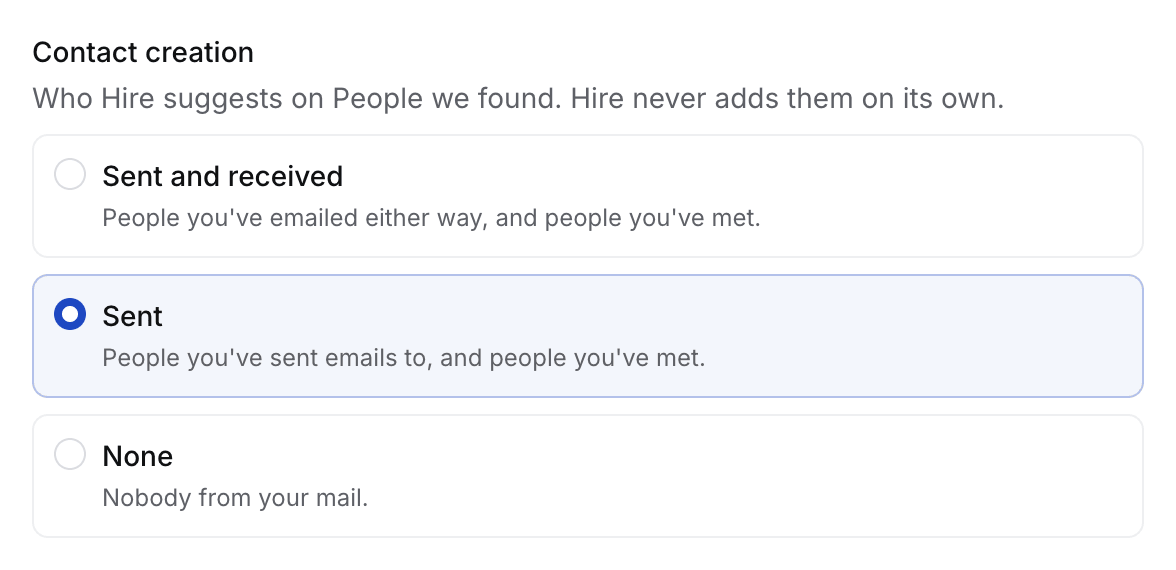
Change these any time in **Your account › Mail sync**. They apply to your mailbox only.
Select **Connect Gmail** and approve on Google, whose screen names Composio, Hire's mail provider. Hire opens **People we found** and starts reading.
Their mail comes into your Inbox once you approve them. See [Review the people we found](/guides/how-to/review-people-we-found).
## Mail sync settings
Change these any time in **Your account › Mail sync**. They apply to your mailbox only.
 | Setting | Default | Choices |
| - | - | - |
| **Contact creation** | **Sent** | **Sent**: people you wrote to or met. **Sent and received**: also people who only wrote to you. **None** |
| **Visibility** | **Metadata** | What teammates see before you link a thread to a Job: **Metadata** (who and when), **Subject and metadata**, **Everything** |
| **Older history** | **Whole history** | **Stop reading older history** stops older reads of mail, calendar and Echo. New mail still syncs |
Hire reads the headers of your whole mailbox, keeps mail only with people in Hire, and never changes anything in Gmail. See [Where your data lives](/guides/explanation/where-your-data-lives).
Flo drafts replies in your voice. Tell it how you write in **Inbox › Mail sorting › Settings**, under **How do you write?**
## If something looks wrong
* **A colleague is suggested.** An Owner or Admin adds the domain in **Settings › General › Agency email domains**.
* **A sender should never come in.** Block it in **Your account › Connections › Blocked senders**. Hire removes what it kept.
* **"That took too long. Connect again."** Select **Connect Gmail** again, from Hire, never from Composio's site.
* **Settings says Needs reconnect.** Select **Reconnect**.
* **You disconnect.** Hire deletes the mail it stored from Gmail. Your Candidates and Contacts stay.
This documentation is built and hosted on [Mintlify](https://mintlify.com), a developer documentation platform.
| Setting | Default | Choices |
| - | - | - |
| **Contact creation** | **Sent** | **Sent**: people you wrote to or met. **Sent and received**: also people who only wrote to you. **None** |
| **Visibility** | **Metadata** | What teammates see before you link a thread to a Job: **Metadata** (who and when), **Subject and metadata**, **Everything** |
| **Older history** | **Whole history** | **Stop reading older history** stops older reads of mail, calendar and Echo. New mail still syncs |
Hire reads the headers of your whole mailbox, keeps mail only with people in Hire, and never changes anything in Gmail. See [Where your data lives](/guides/explanation/where-your-data-lives).
Flo drafts replies in your voice. Tell it how you write in **Inbox › Mail sorting › Settings**, under **How do you write?**
## If something looks wrong
* **A colleague is suggested.** An Owner or Admin adds the domain in **Settings › General › Agency email domains**.
* **A sender should never come in.** Block it in **Your account › Connections › Blocked senders**. Hire removes what it kept.
* **"That took too long. Connect again."** Select **Connect Gmail** again, from Hire, never from Composio's site.
* **Settings says Needs reconnect.** Select **Reconnect**.
* **You disconnect.** Hire deletes the mail it stored from Gmail. Your Candidates and Contacts stay.
This documentation is built and hosted on [Mintlify](https://mintlify.com), a developer documentation platform.