> ## Documentation Index
> Fetch the complete documentation index at: https://docs.ascern.io/llms.txt
> Use this file to discover all available pages before exploring further.
# Connect Echo
> Let Hire keep the calls and phone recordings Echo makes, with their notes and transcripts.
Connect Echo, Skillflo's meeting recorder, so your calls land in Hire with Echo's notes and transcript. [Connect your calendar](/guides/how-to/connect-your-calendar) first.
In **Your account › Connections**, select **Connect** under **Meeting recorder** and approve. Wrong account? Select **Use another account** on Echo's screen.
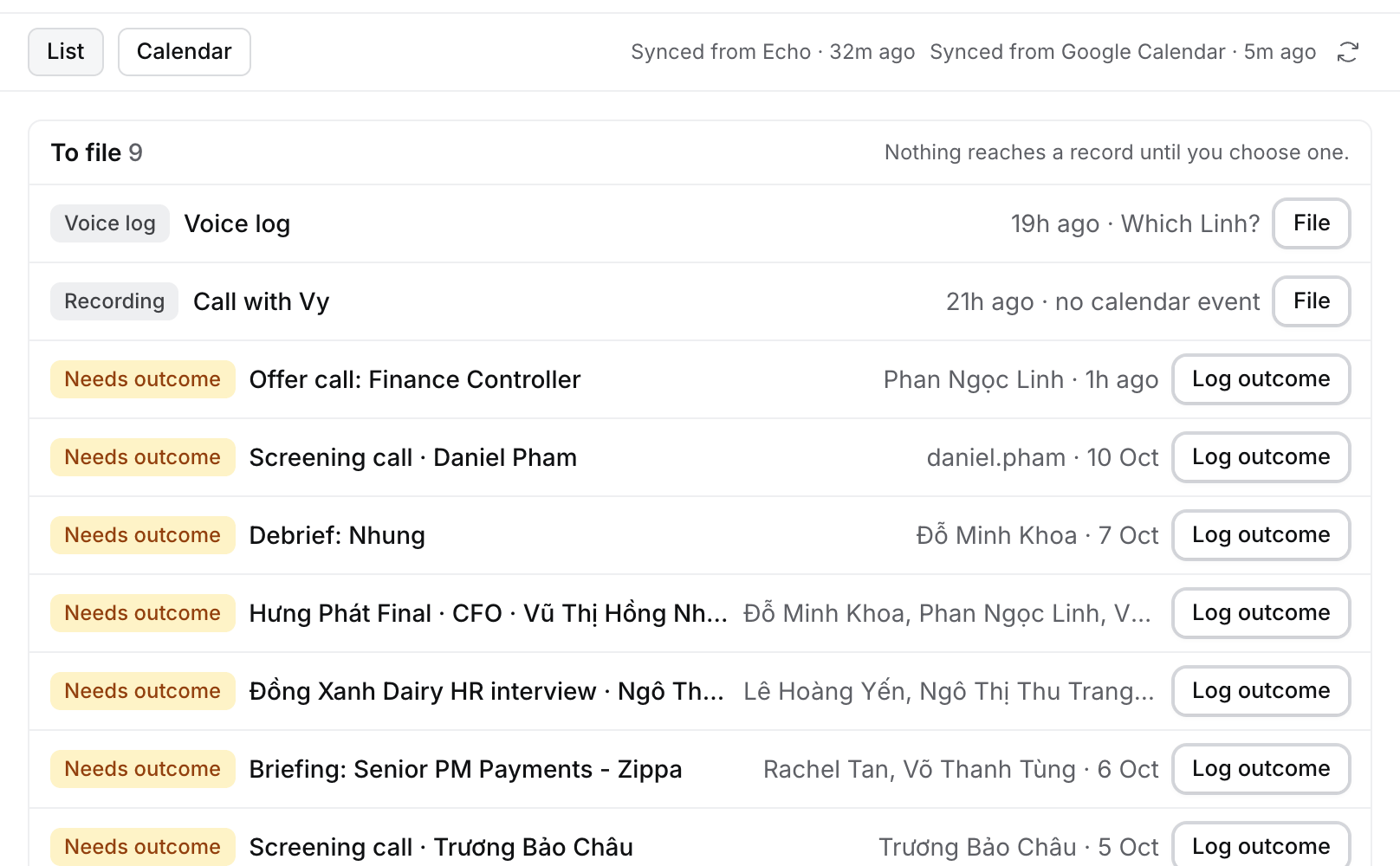
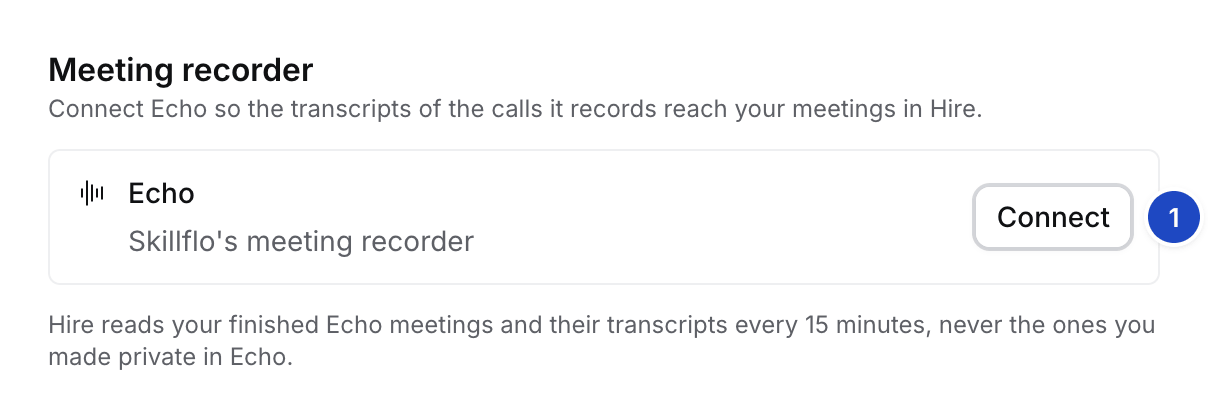 A phone recording or voice log with no calendar event waits under **To file** on **Meetings**. Open it and select **File to record** or **Link to event**.
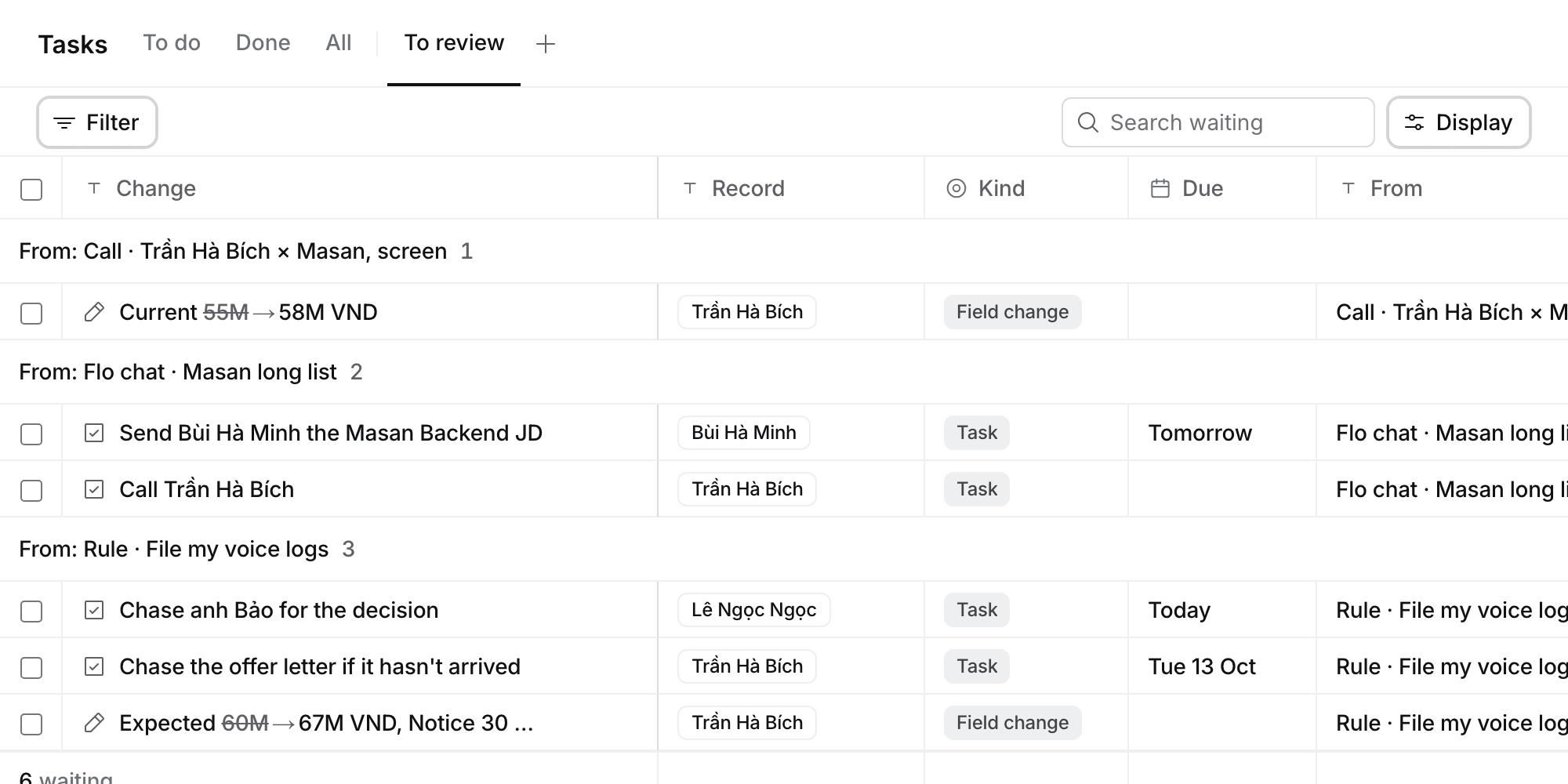
 After each call, Flo proposes the outcome and the changes it implies. The cards wait in **Tasks › To review**. See [File a call](/guides/how-to/file-a-call).
 ## What Hire reads from Echo
| From Echo | Where it goes in Hire |
| - | - |
| Your meetings, with **Final Notes**, transcript and type | The calendar event Echo recorded. Never matched by time alone |
| A client call when the client has one live Job | Linked to that Job. With two or more, the meeting asks **Which job is this about?** |
| Echo's memory: salary, notice, wants, risks, action items | Cards from **Echo · meeting title** in **To review**. Nothing changes until you approve |
| Your Echo contacts and the people in your meetings | Suggestions on [People we found](/guides/how-to/review-people-we-found), ending **from Echo contacts** or **from Echo meetings** |
| Voice logs | A note on the meeting or the record you name |
| Meetings from before you connected | Kept and searchable. Flo proposes nothing until you select **Ask Flo to read it** |
Hire never reads meetings you made private in Echo. Only you see your recordings and Echo contacts.
## If something looks wrong
* **Connected before 13 October 2026?** Select **Reconnect** once to bring in your Echo contacts.
* **Settings says Needs attention.** Select **Reconnect**.
* **A voice log says "Which Linh?"** Its name fits several records. Select the right one under **To file**.
* **No Echo cards appear.** Your Echo doesn't send memory yet. Meetings still sync.
* **You don't want Hire to read further back.** Choose **Stop reading older history** in **Your account › Mail sync**.
This documentation is built and hosted on [Mintlify](https://mintlify.com), a developer documentation platform.
## What Hire reads from Echo
| From Echo | Where it goes in Hire |
| - | - |
| Your meetings, with **Final Notes**, transcript and type | The calendar event Echo recorded. Never matched by time alone |
| A client call when the client has one live Job | Linked to that Job. With two or more, the meeting asks **Which job is this about?** |
| Echo's memory: salary, notice, wants, risks, action items | Cards from **Echo · meeting title** in **To review**. Nothing changes until you approve |
| Your Echo contacts and the people in your meetings | Suggestions on [People we found](/guides/how-to/review-people-we-found), ending **from Echo contacts** or **from Echo meetings** |
| Voice logs | A note on the meeting or the record you name |
| Meetings from before you connected | Kept and searchable. Flo proposes nothing until you select **Ask Flo to read it** |
Hire never reads meetings you made private in Echo. Only you see your recordings and Echo contacts.
## If something looks wrong
* **Connected before 13 October 2026?** Select **Reconnect** once to bring in your Echo contacts.
* **Settings says Needs attention.** Select **Reconnect**.
* **A voice log says "Which Linh?"** Its name fits several records. Select the right one under **To file**.
* **No Echo cards appear.** Your Echo doesn't send memory yet. Meetings still sync.
* **You don't want Hire to read further back.** Choose **Stop reading older history** in **Your account › Mail sync**.
This documentation is built and hosted on [Mintlify](https://mintlify.com), a developer documentation platform.